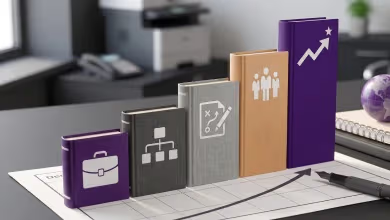
Project management project ideas are structured practice exercises that let you apply planning, scheduling, risk management, and stakeholder communication to real scenarios. Whether you are a student building a portfolio or a seasoned manager refining your approach, hands-on projects bridge the gap between textbook knowledge and workplace execution. PMI's 2025 Pulse of the Profession highlights that diverse project experience is the key differentiator between tactical project workers and strategic value creators.
This article presents 10 project management project ideas organized by skill level. Beginners start with consulting engagements, app builds, and foundational tools like Gantt charts and Work Breakdown Structures. Professionals tackle advanced challenges including Critical Path Method scheduling, AI-driven risk assessment, IoT monitoring, and automated tracking systems.
Why Practice Projects Build Stronger Project Managers
Reading about project management skills is valuable, but applying them under real constraints is where lasting competence develops. Practice projects force you to make tradeoffs between scope, schedule, and budget while producing tangible deliverables such as project plans, risk registers, and Gantt charts.
For individual practitioners, completing even a few well-documented projects demonstrates the hands-on experience that hiring managers and certification bodies require. Each project becomes a portfolio piece that proves you can plan, execute, and close work on time and within scope.
Project Management Ideas for Beginners
Starting with manageable projects lets you practice core skills without the pressure of a high-stakes deadline. These five beginner ideas cover client work, software builds, remote operations, and two foundational PM tools.
1. Professional Services Consulting Project
Professional services projects involve delivering specialized expertise to a client. Managing one teaches you requirements gathering, service delivery, stakeholder communication, and time management in a client-facing setting.
Key Aspects:
- Client Requirements: Gather and document client goals, expectations, and success criteria before starting work.
- Service Delivery: Plan and execute tasks so deliverables meet agreed standards.
- Communication: Provide regular progress updates and manage expectations throughout the engagement.
- Time and Resource Management: Allocate hours and materials to finish on schedule and within budget.
Try This: Manage a consulting engagement for a local nonprofit. Assess their current operations, create a project plan, schedule regular client meetings, and deliver a final report with actionable recommendations.
2. Mobile App Development
An app development project walks you through the full software development lifecycle: scoping, design, build, test, and release. As the project manager, you coordinate developers, designers, and testers while keeping the timeline on track.
Key Aspects:
- Project Scope: Define the app's purpose, core features, and deliverables upfront.
- Development Lifecycle: Move through planning, design, coding, testing, and launch phases.
- Team Collaboration: Coordinate across roles so handoffs are smooth and blockers surface early.
- Testing and Feedback: Run structured testing, collect user feedback, and refine before release.
Try This: Build a personal budget tracker app. Start with a wireframe, develop through iterative sprints, test with a small user group, and refine based on their feedback.
3. Remote Work Transition Plan
A remote work plan project covers policy creation, technology selection, team engagement strategies, and performance evaluation. This remains a practical, in-demand exercise as hybrid and remote work continue across industries.
Key Aspects:
- Policy Development: Establish clear guidelines for work hours, communication protocols, and security measures.
- Technology Setup: Select and deploy collaboration tools such as video conferencing platforms and task management software.
- Team Engagement: Design check-in rhythms and virtual team-building activities to maintain productivity.
- Evaluation: Measure effectiveness after implementation and revise based on feedback and performance data.
Try This: Create a remote work plan for a small team or department. Draft policies, select tools, set up communication processes, and evaluate results after 30 days.
4. Gantt Chart for a Product Launch
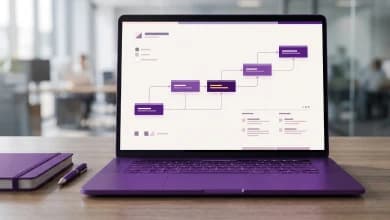
A Gantt chart visually maps a project's schedule, showing task start dates, end dates, durations, and dependencies. Building one for a real project teaches you task sequencing, milestone tracking, and schedule management, all core project manager responsibilities.
Key Aspects:
- Task Breakdown: List every task and arrange them in a logical sequence.
- Timeline Assignment: Set start and end dates for each task to form the overall project timeline.
- Milestones: Mark critical checkpoints to track progress at a glance.
- Progress Tracking: Update the chart regularly to reflect actual status and flag delays early.
- Resource Allocation: Assign people and materials to tasks so nothing is over- or under-resourced.
Try This: Create a Gantt chart for a product launch. Map tasks across market research, development, marketing, and distribution phases. Use a tool like Microsoft Project or a free alternative to track progress in real time.
5. Work Breakdown Structure (WBS) for Software Development
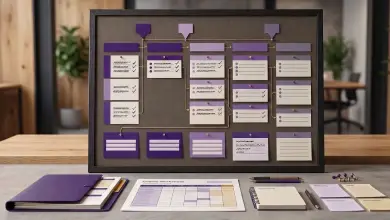
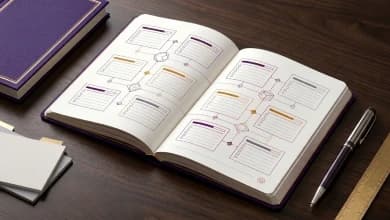
A Work Breakdown Structure (WBS) decomposes a large project into smaller, manageable components. This hierarchical tool clarifies scope, assigns accountability, and produces accurate time and cost estimates.
Key Aspects:
- Task Decomposition: Break the project into major deliverables, then subdivide those into specific tasks.
- Hierarchical Structure: Organize tasks visually to represent the full project scope.
- Task Assignment: Assign each work package to a responsible team member.
- Time and Cost Estimation: Estimate effort and cost per task to build an accurate schedule and budget.
- Monitoring and Control: Use the WBS as a baseline for tracking progress and controlling scope changes.
Try This: Apply WBS to a software development project. Break it into phases (requirements, design, coding, testing, deployment) and decompose each phase into specific work packages with assigned owners.
Project Management Ideas for Experienced Professionals
These five ideas push beyond foundational tools into advanced scheduling, cybersecurity planning, AI, IoT, and automation. Each one tests strategic thinking, cross-functional coordination, and data-driven decision-making.
1. Critical Path Method (CPM) for Construction Scheduling
The Critical Path Method (CPM) identifies the longest sequence of dependent tasks that determines a project's minimum duration. Mastering CPM lets you optimize schedules, allocate resources to bottleneck activities, and predict the impact of delays before they happen.
Key Aspects:
- Task Sequencing: List all tasks and define the order in which they must be completed.
- Dependency Mapping: Identify finish-to-start, start-to-start, and other dependency types between tasks.
- Critical Path Calculation: Calculate the longest dependent path and its impact on the project completion date.
- Schedule Optimization: Adjust task durations and resource assignments to compress the timeline where possible.
- Resource Prioritization: Focus resources on critical-path tasks to prevent schedule slippage.
Try This: Apply CPM to a construction project such as an office buildout. Map every task dependency, calculate float for non-critical tasks, identify the critical path, and optimize the schedule to finish on time and within budget.
2. Cybersecurity Incident Response Plan
Developing a Cybersecurity Incident Response Plan (CIRP) requires you to identify threats, assign roles, build communication protocols, and run simulations. This project type blends risk management with cross-functional coordination. Organizations that study real-world project management case studies often cite incident response as a critical competency for project leaders.
Key Aspects:
- Threat Identification: Catalog potential cybersecurity threats and vulnerabilities within the organization.
- Response Strategy: Define detection, containment, eradication, and recovery phases.
- Roles and Responsibilities: Assign clear ownership for each response phase.
- Communication Protocols: Establish internal and external communication procedures during an incident.
- Testing and Training: Run tabletop exercises and drills to validate the plan and prepare the team.
Try This: Build a CIRP for a medium-sized organization. Document threats, create response playbooks, assign roles, and run a tabletop exercise. Share the final plan with all relevant stakeholders.
3. AI-Driven Risk Assessment
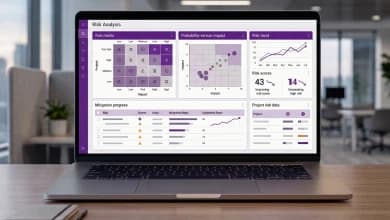
AI-powered risk analysis uses machine learning to scan project data, detect patterns, and predict risks before they materialize. Managing this type of project teaches you how to integrate emerging technology into standard PM workflows while strengthening data-driven decision-making.
Key Aspects:
- Risk Identification: Use AI tools to analyze historical project data and surface potential risks such as budget overruns or schedule delays.
- Predictive Analytics: Configure or build models that forecast future risks based on current trends and past performance.
- Mitigation Strategies: Develop response plans for each identified risk and integrate them into the project plan.
- Continuous Monitoring: Run AI models throughout the project lifecycle to catch emerging issues in real time.
Try This: Create an AI-powered risk dashboard for a marketing campaign. Use an accessible AI platform to analyze campaign data, flag risks, and generate mitigation recommendations.
4. IoT-Enabled Project Monitoring
Internet of Things (IoT) sensors collect real-time data on project variables such as temperature, equipment status, or facility conditions. Integrating IoT data into your project management workflow builds skills in data integration, real-time reporting, and evidence-based decision-making.
Key Aspects:
- IoT Devices: Deploy sensors to gather data relevant to the project, such as environmental conditions or equipment performance metrics.
- Data Integration: Feed IoT data into project management dashboards for real-time visibility.
- Analysis: Identify trends, anomalies, and risks from collected data to inform decisions.
- Reporting: Generate automated reports that keep stakeholders informed and support schedule adjustments.
Try This: Set up IoT monitoring for a small-scale facility project. Install sensors to track environmental variables, connect the data to a dashboard, and use the insights to make evidence-based project decisions.
5. Automated Project Tracking System
An Automated Project Tracking Information System (APTIS) automates progress tracking, resource allocation reporting, and performance metrics collection. Implementing one teaches you system evaluation, data integration, and continuous process improvement at an organizational level.
Key Aspects:
- System Selection: Evaluate tracking tools and select one that fits the project's scale and complexity.
- Data Integration: Connect the system with existing tools and data sources for unified tracking.
- Real-Time Monitoring: Use dashboards for live project metrics and rapid decision-making.
- Automated Reporting: Generate status reports covering progress, resource utilization, and risk indicators.
- Continuous Improvement: Use collected data to identify process bottlenecks and optimize future projects.
Try This: Implement an APTIS for a product development project. Automate task tracking, budget monitoring, and resource allocation. Use the generated reports to keep stakeholders informed and refine the project plan throughout execution.
How to Choose the Right Project for Your Skill Level
Pick a project that stretches your abilities without overwhelming you. Use this framework:
- Assess your current skills. List the PM tools and methods you have used. If you have never built a Gantt chart, start there rather than jumping to CPM or AI risk analysis.
- Match the project to your goals. Preparing for PMP certification? Choose projects that produce deliverables PMI expects, such as project charters, risk registers, and WBS documents. Exploring a career switch? Pick a project in your target industry.
- Start small, then scale. Complete a beginner project end to end before moving to an advanced one. A finished small project teaches more than a half-completed complex one.
- Document everything. Treat each project as a portfolio piece. Write a project charter, maintain a risk log, and capture lessons learned. This documentation becomes evidence of your experience.
To build foundational knowledge before starting these projects, explore free PM courses that cover core concepts and terminology.
Conclusion
These 10 project management project ideas provide a clear path from foundational tools to advanced, technology-driven challenges. Start with a project that matches your current skill level, document your work thoroughly, and build toward more complex scenarios as your confidence grows. Each completed project strengthens your portfolio and demonstrates the hands-on experience that employers value. Formal credentials amplify this experience; explore project management benefits to see how structured training and practice projects work together.
Ready to formalize your project management expertise? Invensis Learning's project management courses provide training in the methodologies and tools covered in these project ideas.
Frequently Asked Questions
What is a good first project management project for beginners?
A consulting engagement for a local nonprofit or community organization is an excellent starting point. It covers requirements gathering, planning, stakeholder communication, and deliverable management at a manageable scale. Alternatively, building a Gantt chart for a personal or volunteer project introduces core scheduling concepts without requiring specialized tools.
Can personal projects count as project management experience?
Yes. Personal projects such as planning an event, managing a home renovation, or launching a website can count as project management experience if you apply formal PM practices. Document your project charter, schedule, budget, and lessons learned to make the experience credible for interviews or certification applications.
What tools work best for practice project management projects?
Free or low-cost tools like Trello, Asana, and Microsoft Project (available through many academic licenses) cover task management, Gantt charts, and team collaboration. For WBS diagrams, tools like Lucidchart or Miro work well. AI-powered risk platforms such as Forecast or Predict360 support advanced project ideas.
How do I document a practice project for my resume?
Treat each project like a professional engagement. Create a one-page summary that includes the objective, scope, methodology, tools used, key deliverables, and measurable outcomes. Quantify results where possible, such as completing on time, reducing waste by a specific percentage, or managing a team of a certain size. This format works for resumes, LinkedIn profiles, and PMP application documentation.
What deliverables should a project management practice project include?
At minimum, produce a project charter, a work breakdown structure, a schedule (Gantt chart or timeline), a risk register, and a lessons learned document. Advanced projects should also include a communication plan, stakeholder register, and a formal closure report. These deliverables demonstrate end-to-end project management competence.
How many practice projects should I complete before applying for PM roles?
Two to three well-documented projects that span different skill areas (scheduling, risk management, stakeholder communication) are typically enough to demonstrate capability. Quality matters more than quantity. A single complex project with thorough documentation is more impressive than five loosely managed ones.