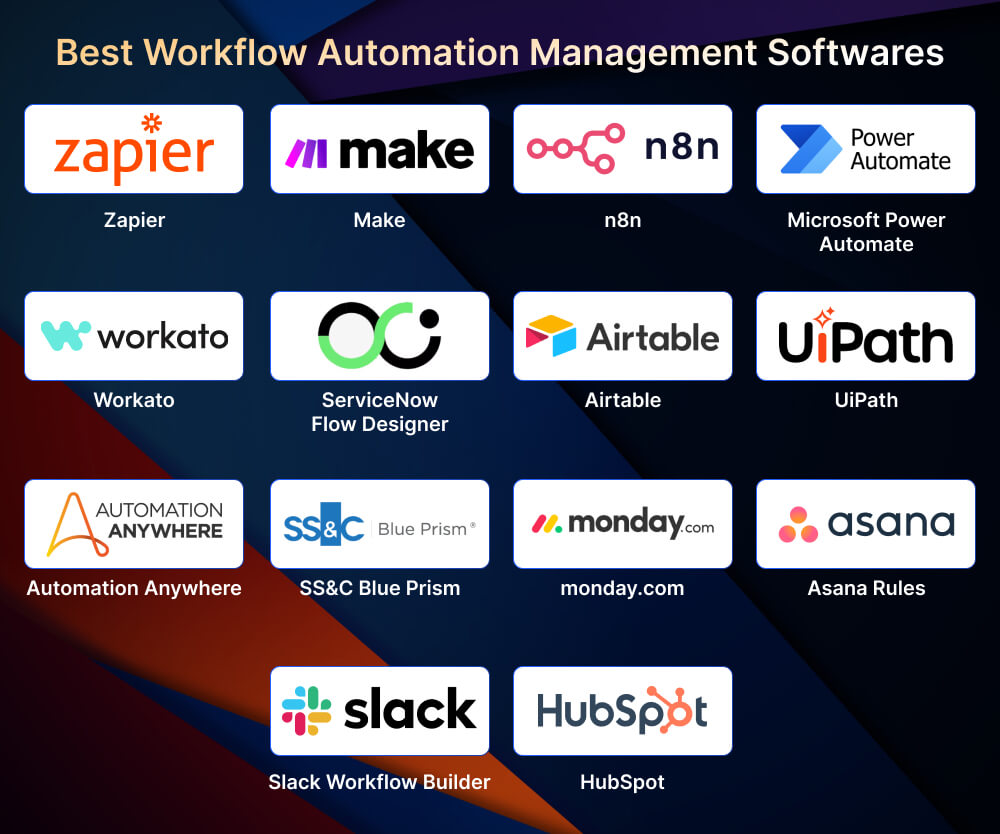
The best workflow automation software in 2026 includes Zapier, Microsoft Power Automate, Make, n8n, Workato, ServiceNow Flow Designer, UiPath, Automation Anywhere, SS&C Blue Prism, monday.com, Asana, Airtable, Slack Workflow Builder, and HubSpot. The right pick depends on where your work already lives, how regulated your environment is, and how technical the people building workflows are.
Manual handoffs, scattered tools, and "Can you remind me on Slack?" are exactly how work falls through the cracks. As teams scale, these invisible gaps turn into delays, rework, compliance risk, and people chasing status updates instead of doing real work. That is why automation platforms have moved from a "nice productivity add-on" to core infrastructure for modern operations.
The leading tools now combine cross-app orchestration, approvals, monitoring, AI assistance, and governance, so you can design reliable, repeatable workflows that survive real-world complexity. Whether you are automating IT incidents, sales follow-ups, onboarding, or finance approvals, the question is not whether to automate, but what to automate first and which stack fits your environment.
Last updated: October 2026
What Does a Workflow Automation Platform Do?
A workflow automation platform runs a repeatable sequence of steps for you: a trigger (a form submission, a status change, a new record) starts the workflow, and the platform executes actions, conditions, and approvals across one or more apps without manual handoffs. It is the practical engine of business process automation.
The 14 tools in this guide fall into three broad categories. Knowing which category you need narrows the shortlist faster than comparing feature lists.
| Category | Tools in This List | Best For |
|---|---|---|
| Cross-app automation and iPaaS | Zapier, Power Automate, Make, n8n, Workato | Connecting many SaaS apps and systems through APIs |
| Enterprise orchestration and robotic process automation (RPA) | ServiceNow, UiPath, Automation Anywhere, SS&C Blue Prism | Long-running, regulated, or legacy-system processes at scale |
| Embedded automation inside work apps | monday.com, Asana, Airtable, Slack, HubSpot | Team workflows that live inside one system of work |
Top Workflow Automation Tools at a Glance
Choosing a platform in 2026 is not about "what has the most features." It is about which tool fits the reality of your work: the systems you already use, the level of governance you need, and how technical your teams are. The tools below are ordered by breadth of use, from general-purpose no-code builders to heavy-duty RPA and ITSM flows, then tools embedded in everyday work apps. Shortlist 2 to 3 that align with your stack and risk profile, then pilot one high-friction process before committing.
1. Zapier: Cross-App Automation and AI Orchestration

Zapier is a classic "automation-first" platform: you connect apps and build workflows (Zaps) that run automatically. What is notably different in 2026 is Zapier's push toward "AI infrastructure," bundling automations with data capture, storage, and AI connectivity so workflows can become full systems, not just one-off integrations. Zapier's pricing page states that Zaps, Tables, Forms, and Zapier MCP are available in unified plans.
Core Concepts Zapier Is Built Around (Useful for Non-Technical Teams):
- Zap = workflow (trigger plus one or more actions).
- Trigger starts the automation; actions do the work.
- Task = counted when an action successfully runs (Zapier explains tasks in its pricing FAQ).
What Is Strong in Zapier:
- Multi-step automations with a workflow-building experience that is easy for non-developers.
- Built-in tooling that supports real-world workflow complexity:
- Conditional logic (paths and filters are built-in tools).
- Custom error notifications and Zap version control (important for governance).
- AI connectivity through Zapier MCP (Model Context Protocol), which lets AI apps interact with your connected tools; MCP tool calls consume tasks.
Example Workflows:
- Lead capture, enrichment, routing to a rep, a Slack alert, then deal and follow-up task creation (a common RevOps pattern).
- Support intake, categorization, ticket creation, acknowledgement email, then a CRM update.
- HR onboarding, account provisioning, stakeholder notifications, then a checklist in your PM tool.
Watch-Outs:
- Zapier pricing is volume-driven (tasks). Multi-step workflows that run frequently can push costs up, and Zapier notes that overage billing can apply once you hit a plan limit.
2. Microsoft Power Automate: Microsoft Ecosystem, Cloud, and RPA

Microsoft Power Automate is a natural choice for Microsoft-first organizations. Its biggest advantage is breadth: it covers both cloud flows and desktop flows (RPA) within the same platform family. Microsoft's plan comparison highlights:
- Cloud flows (digital process automation)
- Attended desktop flows (RPA)
- Unattended desktop flows (RPA)
- Connector tiers: standard, premium, and custom connectors
Why It Matters:
- Many enterprises live in a "hybrid reality":
- Some systems have APIs (good for cloud flows).
- Some legacy apps do not (these require RPA or desktop flows).
Where It Fits:
- Microsoft 365-heavy organizations
- Teams already using Power Platform governance
- IT automation, approvals, and workflows tied to Microsoft identity
Watch-Outs:
- Licensing can be complex; confirm:
- Which connectors are required
- Attended vs unattended needs
- Your environment governance approach
3. Make: Visual Workflows and Detailed Execution Observability

Make (formerly Integromat) is a visual-first automation platform: you build "scenarios" by wiring steps together and mapping data between modules. Make's positioning now strongly emphasizes AI workflow building and AI agents, and it documents governance and monitoring features at the plan level.
Why Make Stands Out:
- Strong support for complex branching (routers) and detailed execution logs, which appeals to power users.
- A robust "workflow ops" posture: monitoring, log search, and analytics features are described plan by plan.
Key Capabilities Called Out on Make's Pricing Page:
- Make AI Agents: build and manage AI agents inside Make.
- MCP Server: connect your AI to your Make scenarios.
- Make Code App: run custom JavaScript or Python inside workflows (useful when you hit logic or data transformation limits).
- Execution and operations features:
- Real-time execution monitoring
- Full-text execution log search
- Execution log storage (days vary by plan)
Security and Governance Notes: Make's security page describes GDPR compliance, SOC 2 audit coverage, encryption, and SSO options, along with log retention defaults and enterprise options.
Example Workflows (Where Make Shines):
- Marketing ops: ad lead, enrichment, deduplication, assignment, CRM update, then a reporting table update.
- Finance ops: an invoice attachment arrives, fields are parsed and validated, routed for approval, then pushed to the accounting system.
- Ops "fan-out": one trigger event fans out into multiple actions with conditional routing.
4. n8n: Developer-Friendly Automation with Strong Governance Options

n8n is often chosen when teams want deeper flexibility than purely no-code tools while keeping a visual workflow builder. Its governance story is clearer than many alternatives, especially around identity and access management.
Enterprise Security and Identity:
- SSO supported via SAML and OIDC
- SSO is available on Enterprise plans
Role-Based Access Control (RBAC): n8n describes RBAC as managing access to workflows and credentials based on projects and user roles. RBAC is available across plans except the self-hosted Community edition, with differences by plan.
What This Means in Real Operations:
- You can build an "automation factory" model:
- Project A (sales ops workflows)
- Project B (IT workflows)
- Project C (finance workflows)
- Each project has role scopes, reducing the "everyone can edit everything" risk.
Where n8n Typically Fits Best:
- Teams that want:
- deeper API work (webhooks, custom nodes, transformations)
- more control over automation infrastructure
- enterprise governance (SSO and RBAC)
Watch-Outs:
- Success depends more on your operating model than on the UI:
- workflow reviews
- testing and staging
- documentation standards
- incident handling for failed runs
5. Workato: Enterprise Integration and Automation Program Maturity

Workato is positioned as an enterprise-grade integration platform as a service (iPaaS) for integration and automation, especially for organizations running an automation center of excellence (CoE) that needs procurement-friendly credibility.
Why It Tends to Win in Larger Organizations:
- Strong enterprise iPaaS positioning, with Workato highlighting its analyst recognition (including Gartner Magic Quadrant placement) in its own materials.
Where It Fits Best:
- Mid-to-large enterprises with:
- many systems across departments
- integration debt
- a need for governance and consistency
Watch-Outs:
- As with any enterprise iPaaS, implementation success comes from:
- an intake process
- a reusable recipe library approach
- standards and monitoring
- a clear ownership and support model
6. ServiceNow Flow Designer: Enterprise Workflows at Scale

ServiceNow Flow Designer is built for end-to-end digital workflows on the Now Platform. Its key differentiator is that it is not "just automation"; it is usually embedded in an enterprise's service, operations, and workflow architecture, which is why ServiceNow also appears on most shortlists of ITSM tools.
What ServiceNow Highlights on the Flow Designer Page:
- End-to-end digital workflows created in a no-code environment.
- Reusable components and integration spokes (Integration Hub spokes).
- Governance-style capabilities:
- Role-based flow management
- Domain-separated flows (multi-tenant and MSP use cases)
- No-code triggers, including inbound email and SLA target triggers
Typical Enterprise Workflows:
- IT onboarding and offboarding
- Incident, problem, and change flow automation
- HR service delivery workflows
- Security operations workflows
Automating change approvals only works when the underlying process is sound, so teams usually define ITIL change management roles and approval paths before they build the flow.
Watch-Outs:
- Requires strong platform discipline:
- environment strategy
- platform governance
- workflow standards
- stakeholder collaboration
7. UiPath: Agentic Orchestration and Enterprise Process Modeling

UiPath's current narrative centers on agentic orchestration with UiPath Maestro, positioned as the layer that coordinates AI agents, robots, systems, and people in production-grade processes.
What UiPath Maestro Highlights:
- Unified orchestration across systems, AI agents, robots, and people
- Data-driven optimization using real execution data
- Industry-standard modeling:
- BPMN 2.0 process modeling
- DMN for business rules and decisions
- Runtime process controls: suspend, resume, retry, reset, rewind, or skip steps
Where UiPath Fits Best:
- Complex, long-running processes (procure-to-pay, claims, payroll)
- When you need all of:
- system and API integrations
- UI automation
- human approval stages
Watch-Outs:
- Design discipline matters: treat automations like software products, with SLAs and monitoring.
8. Automation Anywhere: Agentic Process Automation with a Reasoning Engine

Automation Anywhere frames its platform as an Agentic Process Automation System, combining AI reasoning with automation execution across apps and environments. It goes beyond basic RPA by emphasizing reasoning, orchestration, and governance.
What Automation Anywhere's Product Page Describes:
- A system combining agentic AI agents, machine learning, process orchestration, RPA, APIs, and natural language interfaces, plus governance.
- A Process Reasoning Engine (PRE) that the vendor says is trained on "400M+ enterprise workflow data, UI interactions, and documents."
- Auditability:
- decision logs
- real-time monitoring
- escalation paths to humans
Where It Fits Best:
- Enterprises that want AI-forward automation across IT, finance, HR, and customer service.
Watch-Outs:
- Validate "agentic" capability through pilots, focusing on:
- exception handling
- auditability
- governance alignment
9. SS&C Blue Prism: Intelligent Automation and a Digital Workforce

SS&C Blue Prism's messaging emphasizes intelligent automation (IA) as a combination of RPA, AI, and orchestration (often business process management). Its intelligent automation guide describes IA delivered by "digital workers" and links IA to the evolution toward agentic automation.
Key Concepts from Blue Prism's IA Guide:
- IA combines cognitive automation technologies to streamline processes and decision-making.
- IA "upgrades RPA" with AI cognition and BPM orchestration, covering process discovery, data extraction, contextual understanding, and problem-solving.
- Strong emphasis on:
- security and compliance
- auditability
- governance
Where It Fits Best:
- Regulated industries (finance, insurance, healthcare)
- Large-scale digital workforce programs with governance requirements
10. monday.com: Work OS Automations with a Simple Mental Model

monday.com's automation system is approachable and easy to teach, especially for non-technical teams. Its support documentation formalizes a basic automation language and shows how to build multi-step automations on top of boards that work much like Kanban boards.
Core Building Blocks (from monday.com Support):
- Trigger, then condition, then action
- Multi-step automations: add multiple actions after a single trigger
Where monday.com Is Strongest:
- Operational workflows that live inside boards:
- approvals
- handoffs
- reminders
- status-driven routing
Example Automations:
- "When the date arrives and status is Working on it, notify the owner."
- "When status changes to Done, move the item to board X and notify the channel."
- "When an item is created, assign an owner and set a default value."
Watch-Outs:
- For cross-app complexity, teams often pair monday.com with an integration platform (Zapier or Make) while keeping monday.com as the "system of work."
Case Study: monday.com Automations at FARFETCH
Luxury fashion platform FARFETCH uses monday.com as its work OS and relies on automations to eliminate manual updates and status chasing. According to monday.com's FARFETCH story, the company saves around 42,000 hours per year (about 3,500 hours per month), sees a 6x return on investment, and saves an estimated US$118,000 per month by automating cross-team workflows such as campaign tracking, approvals, and handoffs.
11. Asana Rules: Rules Library and Workflow Acceleration for Teams

Asana Rules automates routine task flows, especially moving work through stages and notifying the right people. Asana's rules page emphasizes quick rule creation plus recommended rule templates.
What Asana Highlights:
- Rules can automate actions, such as moving tasks as their due dates approach.
- Rules library recommendations help teams get started quickly.
- Cross-tool automation references include Slack and Gmail.
Where Asana Is Strongest:
- Standardizing recurring workflows for:
- marketing campaigns
- product launches
- operations requests
- approvals and reminders
Watch-Outs:
- If your workflow spans many systems, combine Asana Rules with an iPaaS platform.
12. Airtable: Database-First Workflows with Optional Code

Airtable Automations are ideal when your workflows are anchored in structured records (tables). Airtable's automations page notes you can build "multi-sequence workflows through trigger and action logic" and extend them with JavaScript when needed.
What Airtable Emphasizes:
- Simple notification automations or multi-step sequences (trigger and action logic).
- Integrations with popular tools such as Google Workspace and Slack.
- JavaScript extensions for custom logic.
Where Airtable Shines:
- Operations workflows such as:
- a vendor onboarding tracker
- creative request intake
- a customer implementation tracker
- a compliance checklist database
- When you need "work plus data model" together, not just tasks
Watch-Outs:
- The better your base design (tables, linked records, fields), the better your automations. A poor schema produces fragile workflows.
13. Slack Workflow Builder: Chat-Native Workflows and Branching

Slack Workflow Builder is powerful because it lives where many organizations already run work: in channels. Slack positions it as no-code workflow automation with AI assistance.
Key Capabilities Slack Describes:
- AI assistance to create automated processes
- Conditional branching with up to 10 conditions
- Workflow connectors to Salesforce and dozens of other apps
- Embedded workflows: send them in messages, embed them in canvases, or bookmark them in channels
Operational Strengths:
- Intake workflows: "request access," "ask for help," "submit IT request"
- Lightweight approvals routed to the right group
- Structured data capture through forms embedded in Slack flows
Case Study: Slack Workflow Builder Time Savings
In its February 2024 workflow design guide, Slack reports that a survey of Salesforce and Slack users found a 28% increase in time saved with workflows. The guide walks through request-approval flows, channel-based intake forms, and automated notifications that replace ad-hoc DMs and manual follow-ups, showing how chat-native automation improves responsiveness without a traditional IT project.
14. HubSpot: CRM-Native Workflow Automation

HubSpot automation is best understood as "workflow automation inside your go-to-market system." HubSpot's knowledge base explains several automation entry points (forms, emails, pipelines, workflows, sequences) and then details workflows for broader process automation.
Automation Tools HubSpot Highlights (Depending on Subscription):
- Forms and marketing email automation
- Pipeline stage automation
- Workflows (Marketing, Sales, Service, and Data Hub Professional or Enterprise)
What Workflows Can Do (Examples from HubSpot):
- Trigger emails (birthdays and anniversaries)
- Count down to events and trade shows
- Assign leads
- Create records
- Add data to Google Sheets
AI Assistance in Workflows: HubSpot states that you can use Breeze, HubSpot's AI, to generate enrollment triggers and actions from prompts.
Watch-Outs:
- HubSpot automations are strongest when your data model is clean (properties, lifecycle stages, lead routing rules). If your CRM data is messy, automation will scale the mess faster.
Workflow Automation Tools Comparison Table
The table scores each platform from 1 (weak fit) to 5 (strongest fit) across five common automation needs. These are Invensis editorial fit ratings based on each vendor's documented capabilities, meant to speed up shortlisting rather than replace a pilot.
| Tool | Cross-App Automation | IT/Service Workflows | Work Management Automation | Database-First Automation | RPA/Legacy UI |
|---|---|---|---|---|---|
| Zapier | 5 | 2 | 2 | 2 | 1 |
| Power Automate | 4 | 3 | 3 | 2 | 4 |
| Make | 5 | 2 | 2 | 2 | 1 |
| n8n | 4 | 3 | 2 | 3 | 1 |
| Workato | 5 | 3 | 2 | 2 | 2 |
| ServiceNow | 3 | 5 | 2 | 1 | 2 |
| UiPath | 3 | 3 | 1 | 1 | 5 |
| Automation Anywhere | 3 | 3 | 1 | 1 | 5 |
| SS&C Blue Prism | 3 | 3 | 1 | 1 | 5 |
| monday.com | 2 | 1 | 5 | 2 | 1 |
| Asana | 2 | 1 | 5 | 2 | 1 |
| Airtable | 2 | 1 | 3 | 5 | 1 |
| Slack Workflow Builder | 2 | 2 | 3 | 1 | 1 |
| HubSpot | 3 | 1 | 2 | 2 | 1 |
How Do You Choose the Right Workflow Automation Tool?
Choose a workflow automation tool by starting from the process, not the product: map where the work happens, how many systems it touches, who will build and maintain it, and what governance it needs. Then shortlist 2 to 3 platforms from the matching category and prove value with one well-governed pilot.
- Pick one high-friction workflow. Look for repetitive, rules-based steps with clear handoffs. Removing unnecessary steps first, using Lean waste elimination, keeps you from automating a broken process.
- Match the category. Cross-app work points to Zapier, Make, n8n, Workato, or Power Automate; regulated or legacy processes point to ServiceNow or an RPA platform; team-level work often fits automation already built into monday.com, Asana, Airtable, Slack, or HubSpot.
- Check governance before features. Confirm SSO, role-based access, version control, audit logs, and error alerts. These decide whether automations stay reliable after the original builder moves on.
- Model the real cost. Task-, operation-, and connector-based pricing behaves very differently at volume. Estimate monthly runs and steps before you sign.
- Run a scored pilot. Use a structured software evaluation with weighted criteria, measure cycle time and error rate before and after, then decide.
Treat AI agent claims with the same rigor. In a June 2025 press release, Gartner predicted that over 40% of agentic AI projects will be canceled by the end of 2027 due to escalating costs, unclear business value, or inadequate risk controls. Gartner also warned about "agent washing," where existing assistants, RPA tools, and chatbots are rebranded as agents without substantial agentic capabilities.
Conclusion
Workflow automation in 2026 is no longer about clever one-off Zaps or scripts; it is about designing a reliable execution layer for your business. The workflow automation software in this list covers the full spectrum: cross-app orchestration (Zapier, Power Automate, Make, n8n, Workato), enterprise IT and service workflows (ServiceNow, UiPath, Automation Anywhere, SS&C Blue Prism), and embedded automation inside the systems where teams already work (monday.com, Asana, Airtable, Slack, HubSpot). The right choice depends less on flashy features and more on where your work happens, how regulated your environment is, and who will own these workflows over time.
If you treat automation as an ad-hoc side project, you create fragile bots and hidden dependencies. If you treat it as a managed capability, with standards, owners, monitoring, and a clear intake roadmap, you get faster cycle times, fewer manual errors, cleaner data, and teams that spend more time on judgment work. The next step is not "automate everything"; it is to pick 2 to 3 high-friction workflows, choose the right tool category from this list, and prove value with a governed pilot.
The platform is only half of the equation. Training in business process management helps you model, measure, and improve processes before you automate them, which is what turns scattered scripts into a scalable advantage.
Frequently Asked Questions
What is the difference between workflow automation and RPA?
Workflow automation connects apps and systems through APIs and built-in triggers, so data and tasks move automatically between them. Robotic process automation (RPA) uses software robots to mimic human clicks and keystrokes in user interfaces, which makes it useful for legacy applications that have no API. Many enterprise platforms, such as Power Automate and UiPath, now offer both.
Is there free workflow automation software?
Yes. Several platforms offer free entry points, including Zapier's Free plan and the self-hosted Community edition of n8n. Tools such as Slack, Asana, monday.com, and Airtable also include basic automations in some plans. Free tiers usually limit run volume, multi-step logic, or governance features, so check those limits before scaling.
What is iPaaS and how is it related to workflow automation?
iPaaS stands for integration platform as a service: a cloud platform that connects applications, data, and processes across an organization. Workflow automation is one of its main uses. Workato is a typical enterprise iPaaS, while Zapier, Make, and n8n cover similar integration needs for teams that want faster, lighter-weight setup.
Can AI agents replace traditional workflow automation?
Not yet for most organizations. AI agents handle judgment-heavy steps such as classifying requests or drafting responses, but deterministic workflows remain better for approvals, compliance steps, and high-volume data movement. Most 2026 platforms combine both, using agents inside governed workflows with human escalation paths and audit logs.
Which processes should a business automate first?
Start with repetitive, rules-based processes that have clear inputs, frequent handoffs, and measurable delays, such as employee onboarding, lead routing, invoice approvals, and IT access requests. Avoid processes that change often or depend on unclear decisions until they are standardized.
Do no-code automation tools still need IT governance?
Yes. No-code tools make building easy, which also makes it easy to create undocumented, unowned automations. IT or an automation center of excellence should set standards for access control, naming, testing, error alerts, and credential management, while business teams build within those guardrails.