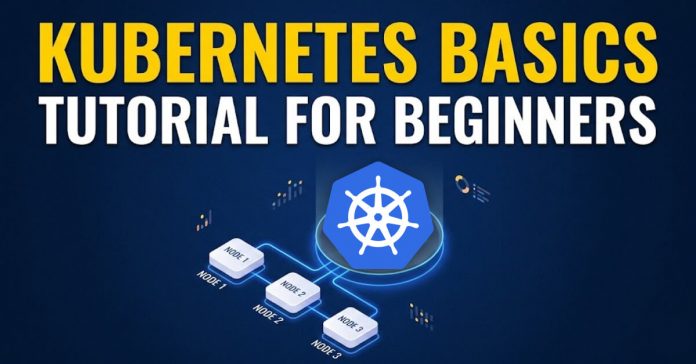
Kubernetes has become the backbone of modern cloud-native infrastructure, but for beginners, it often feels complex and intimidating. As applications moved from monolithic systems to microservices running in containers, manual management became impractical. Teams needed a way to automatically deploy, scale, monitor, and recover applications across multiple servers without constant human intervention. That need gave rise to container orchestration, and Kubernetes became the industry standard for it.
Kubernetes helps you run containerized applications reliably at scale. It ensures the right number of application instances are running, automatically replaces failed components, distributes traffic efficiently, and maintains the desired state of your system. Instead of manually managing servers and processes, you define what you want, and Kubernetes continuously works to keep your system aligned with that goal.
In this beginner-friendly tutorial, we’ll break Kubernetes down into clear concepts without overwhelming technical jargon. You’ll understand what problems it solves, how its core components work together, and how to deploy a simple application step by step. By the end, you’ll have a strong foundational understanding of Kubernetes and a practical roadmap for moving forward with confidence.
Table Of Contents:
- What Is Kubernetes?
- Why Kubernetes Matters in 2026?
- Kubernetes Architecture Explained (Beginner-Friendly)
- What Is a Kubernetes Cluster?
- The Control Plane (The Brain of Kubernetes)
- Worker Nodes (Where Applications Run)
- How Everything Works Together
- How Kubernetes Works (Step-by-Step Workflow)
- Core Kubernetes Concepts You Must Know
- Your First Kubernetes Deployment (Detailed Walkthrough)
- Common Beginner Mistakes (And How to Avoid Them)
- Debugging Commands Every Beginner Should Know
- Conclusion
- Frequently Asked Questions (FAQs)
What Is Kubernetes?
Kubernetes is an open-source container orchestration platform that automates the deployment, scaling, and management of containerized applications. It was originally developed by Google and is now maintained by the Cloud Native Computing Foundation, a Linux Foundation project.
At a practical level, Kubernetes solves the problem of scaling and reliability.
Containers (popularized by Docker) allow developers to package applications along with their dependencies so they can run consistently across environments. But once applications grow beyond a few containers, manual management becomes unsustainable. If one container crashes, someone must restart it. If traffic spikes, someone must manually scale. If a server fails, workloads must be redistributed.
| “Kubernetes is a portable, extensible, open-source platform for managing containerized workloads and services.” |
Containers vs Virtual Machines
To understand Kubernetes properly, you need context.
| Feature | Virtual Machines | Containers |
| OS | Full OS per VM | Shared host OS |
| Resource Usage | Heavy | Lightweight |
| Startup Time | Minutes | Seconds |
| Portability | Moderate | High |
Containers have dramatically improved efficiency and portability. However, they created a new operational challenge: orchestration at scale.
Running 3 containers on a laptop is simple.
Running 3,000 containers across distributed infrastructure is not.
That’s where Kubernetes comes in.
Why Kubernetes Matters in 2026?
Kubernetes is no longer a “trending” technology, it is infrastructure standardization. In 2026, most modern digital platforms are built on cloud-native architectures, and Kubernetes sits at the center of that transformation.
The shift from monolithic systems to microservices fundamentally changed how applications are built and deployed. Instead of one large application running on a single server, organizations now run dozens, sometimes hundreds, of loosely coupled services across distributed environments. Managing that complexity manually is inefficient, risky, and expensive. Kubernetes provides the automation layer that makes this scale manageable.
Cloud-Native Is the Default Architecture
Cloud-native development is no longer experimental. It is the operational norm.
According to the Cloud Native Computing Foundation Annual Survey, Kubernetes adoption in production environments has become mainstream across industries.
Organizations are using Kubernetes because it enables:
- Portable workloads across cloud providers
- Efficient infrastructure utilization
- Faster deployment cycles
- Automated scaling and recovery
Kubernetes removes cloud vendor lock-in by allowing workloads to run consistently across environments.
Enterprise Standardization
Major cloud providers have deeply integrated Kubernetes into their ecosystems:
- Amazon EKS (Elastic Kubernetes Service)
- Google GKE (Google Kubernetes Engine)
- Microsoft AKS (Azure Kubernetes Service)
These managed services reduce operational overhead while maintaining Kubernetes flexibility. Enterprises increasingly choose managed Kubernetes instead of building custom orchestration layers.
In practice, if an organization is modernizing its infrastructure in 2026, Kubernetes is almost always part of that discussion.
DevOps and Platform Engineering Demand
The demand for DevOps and cloud engineers continues to grow globally. Kubernetes knowledge is frequently listed as a required or preferred skill for:
- DevOps Engineers
- Cloud Engineers
- Site Reliability Engineers (SREs)
- Platform Engineers
As organizations mature, they move beyond simple CI/CD pipelines and begin building internal developer platforms, often powered by Kubernetes.
If you’re planning a DevOps career path, Kubernetes is not optional; it is foundational.
Reliability and Business Continuity
In 2026, downtime is costly.
Modern applications must:
- Scale automatically during traffic spikes
- Recover instantly from failure
- Deploy updates without service interruption
Kubernetes provides:
- Self-healing mechanisms
- Rolling updates
- Auto-scaling policies
- Health checks
These capabilities directly reduce operational risk.
From Infrastructure Management to Infrastructure Automation
Traditional infrastructure management required manual provisioning, monitoring, and scaling. Kubernetes changes that paradigm. Instead of telling the system how to operate, you declare the desired outcome.
This declarative approach allows:
- Consistency across environments
- Reduced human error
- Automated reconciliation
- Predictable deployment workflows
That shift from manual control to automated orchestration is one of the biggest reasons Kubernetes matters today.
Kubernetes Architecture Explained (Beginner-Friendly)
Kubernetes can feel intimidating because of the terminology. But once you understand the architecture at a high level, everything becomes logical.
At its simplest, Kubernetes has two main parts:
- Control Plane (the brain)
- Worker Nodes (the muscle)
Together, they form a cluster.
Let’s break this down clearly.
What Is a Kubernetes Cluster?
A cluster is the entire Kubernetes system.
It includes:
- One Control Plane
- One or more Worker Nodes
Think of a cluster like a company:
- Leadership team = Control Plane
- Employees doing the actual work = Worker Nodes
The cluster ensures applications are deployed, monitored, and maintained automatically.
The Control Plane (The Brain of Kubernetes)
The Control Plane makes decisions. It doesn’t run your applications directly — it manages them.
Key Control Plane Components
API Server
This is the front door of Kubernetes.
When you run:
| kubectl apply -f deployment.yaml
You’re sending a request to the API Server. |
It validates and processes all commands.
Scheduler
The Scheduler decides:
- Which Node should run a new Pod?
- Which Node has enough CPU and memory?
It doesn’t run workloads, it assigns them.
Controller Manager
Controllers continuously monitor the cluster and ensure the desired state matches the actual state.
Example:
- You declare 3 replicas.
- One Pod crashes.
- Controller notices and creates a new one.
This is called reconciliation.
etcd
This is the cluster database.
It stores:
- Configuration
- Desired state
- Cluster data
If etcd fails, the cluster loses state memory.
Worker Nodes (Where Applications Run)
Worker Nodes are machines (virtual or physical) that actually run containers.
Each Node contains:
Kubelet
Communicates with the Control Plane and ensures containers run as expected.
Container Runtime
Runs containers (Docker, containerd, etc.).
Kube-Proxy
Manages networking rules for services.
If the Control Plane is management, Nodes are execution.
Pods – The Smallest Deployable Unit
A Pod is the smallest unit Kubernetes manages.
Important facts:
- A Pod usually contains one container.
- It can contain multiple tightly coupled containers.
- All containers inside a Pod share:
- Network
- Storage
- IP address
Think of a Pod as a wrapper around containers.
Kubernetes does not manage containers directly. It manages Pods.
Deployments – Managing Pods at Scale
A Deployment defines:
- How many replicas should run
- What image to use
- How updates happen
Example:
If you say:
| #code
replicas: 3 |
Kubernetes ensures 3 Pods are always running.
If one crashes, another is created.
Deployments provide:
- Rolling updates
- Rollbacks
- Zero-downtime upgrades
Services – Stable Networking
Pods are temporary. Their IP addresses change when recreated.
A Service provides:
- Stable IP
- Load balancing
- Internal or external access
Without Services:
- Microservices cannot reliably communicate.
- External traffic cannot reach your application.
Services solve this networking instability problem.
How Everything Works Together
- You define a Deployment.
- API Server receives it.
- Scheduler assigns Pods to Nodes.
- Kubelet starts containers.
- Service exposes them.
- Controller ensures replica count is maintained.
You define the desired state.
Kubernetes constantly enforces it.
How Kubernetes Works (Step-by-Step Workflow)
Now that you understand the architecture, let’s go deeper into how Kubernetes actually operates in real time. This is where most beginners either get clarity or get confused.
Kubernetes follows a declarative model. That means you don’t instruct it step by step like a script. Instead, you describe the desired outcome, and Kubernetes continuously works to ensure that outcome becomes reality.
This concept is called “desired state management.”
Instead of saying:
- Start this container
- Restart it if it fails
- Scale it to 3 instances
- Attach it to networking
You say:
“I want 3 replicas of this application running.”
Kubernetes handles the rest.
Let’s walk through what actually happens behind the scenes.
Step 1: You Define the Desired State
Everything in Kubernetes begins with configuration. You define what you want using a YAML file.
That file may describe:
- The container image
- The number of replicas
- Resource limits
- Networking requirements
- Update strategy
When you apply that configuration using:
| #bash
kubectl apply -f deployment.yaml |
You are not starting containers directly. You are submitting a request to the Kubernetes system saying:
“This is what my application environment should look like.”
From that point forward, Kubernetes takes control.
Step 2: The API Server Processes the Request
The API Server is the entry point to the cluster. Every request flows through it.
It performs three critical tasks:
- Validates the configuration.
- Stores the desired state in the cluster database (etcd).
- Notifies other components that a new state must be enforced.
The API Server acts like a traffic controller. It ensures the cluster remains consistent and secure.
Everything in Kubernetes is ultimately an API interaction, even internal processes communicate through it.
Step 3: The Scheduler Makes Placement Decisions
Once the configuration is accepted, Kubernetes must decide:
Where should these Pods run?
This is handled by the Scheduler.
The Scheduler evaluates:
- Available CPU and memory
- Node health
- Affinity rules
- Taints and tolerations
- Resource requests
It selects the most appropriate Node for each Pod.
| Important clarification: The Scheduler does not run containers. It only assigns Pods to Nodes.Think of it like assigning tasks to employees based on capacity and specialization. |
Step 4: Kubelet Brings the Pod to Life
Once a Pod is assigned to a Node, the Node’s kubelet takes over.
The kubelet:
- Communicates with the API server
- Pulls the container image
- Starts the container via the runtime
- Reports status back to the control plane
If the container fails to start, kubelet retries based on the defined restart policy.
At this point, your application is running, but Kubernetes doesn’t stop monitoring it.
Step 5: Services Provide Stable Networking
Pods are dynamic and temporary. Their IP addresses change if they restart.
This would create chaos in microservices architectures.
Kubernetes solves this with Services, which provide:
- Stable networking endpoints
- Internal load balancing
- External exposure (if configured)
A Service ensures that traffic is always routed to healthy Pods, even if individual Pods are replaced.
Without Services, distributed systems would constantly break.
Step 6: Controllers Enforce the Desired State
This is where Kubernetes becomes powerful.
Controllers continuously compare:
- The desired state (what you declared)
- The current state (what is actually running)
If there is any mismatch, they take corrective action.
Examples:
- A Pod crashes → A new Pod is created.
- A Node goes offline → Pods are rescheduled to other Nodes.
- Replica count drops → Additional Pods are started.
This continuous monitoring loop is called reconciliation.
Kubernetes does not wait for you to notice problems. It detects and corrects them automatically.
Step 7: Auto-Scaling When Demand Changes
If configured, Kubernetes can scale applications automatically using the Horizontal Pod Autoscaler (HPA).
When CPU or memory crosses a threshold:
- More Pods are created.
When traffic drops:
- Pods are removed.
This elasticity allows applications to handle unpredictable workloads without manual scaling.
In high-traffic systems like e-commerce platforms, this capability prevents revenue loss during spikes.
Step 8: Rolling Updates and Safe Deployments
Deployments in Kubernetes support rolling updates.
Instead of shutting down everything and restarting:
- New Pods are created gradually.
- Old Pods are terminated slowly.
- Traffic shifts smoothly.
If a new version causes errors:
- You can roll back to the previous version instantly.
This reduces deployment risk significantly.
Core Kubernetes Concepts You Must Know
Now that you understand how Kubernetes works operationally, it’s time to go deeper into the core objects you’ll interact with daily. These are the building blocks of real-world Kubernetes usage. If you understand these clearly, you move from “confused beginner” to “confident practitioner.”
Let’s break them down properly.
ReplicaSets – Ensuring High Availability
A ReplicaSet ensures that a specified number of Pod replicas are running at any given time.
If you declare:
- 3 replicas of an application
- One crashes
Kubernetes automatically creates a new one to maintain the count.
ReplicaSets are rarely created directly. Instead, they are managed by Deployments, which provide additional features like rolling updates and rollbacks.
Why this matters:
- Ensures reliability
- Maintains redundancy
- Prevents single points of failure
In production systems, ReplicaSets are fundamental for maintaining uptime.
Namespaces – Logical Separation Inside a Cluster
A Kubernetes cluster can host multiple teams, environments, or projects. Namespaces allow you to isolate resources logically within the same cluster.
Common use cases:
- Separate development, staging, and production
- Isolate different teams
- Apply resource quotas per department
Think of Namespaces as folders inside a file system. They don’t create separate clusters, but they create structured boundaries.
Without Namespaces, managing large clusters becomes chaotic.
ConfigMaps and Secrets – Managing Configuration Safely
Hardcoding configuration inside containers is a bad practice. Kubernetes separates application code from configuration.
ConfigMaps
Store non-sensitive configuration, such as:
- Environment variables
- Feature flags
- Configuration files
Secrets
Store sensitive data such as:
- Database passwords
- API keys
- TLS certificates
This separation allows:
- Configuration updates without rebuilding images
- Better security management
- Cleaner deployment pipelines
In enterprise environments, Secrets are often integrated with external secret management systems.
Ingress – Managing External Access
Services expose applications internally or externally. But when you want to manage multiple services under a single domain with routing rules, you use Ingress.
Ingress allows:
- URL-based routing
- Host-based routing
- TLS termination
- Reverse proxy configuration
Example:
- example.com/api → Service A
- example.com/app → Service B
Without Ingress, external traffic management becomes inefficient and hard to scale.
Rolling Updates – Safe Application Deployment
Deployments allow you to update applications gradually.
Instead of:
- Shutting down old version
- Starting new version
Kubernetes:
- Spins up new Pods
- Gradually shifts traffic
- Terminates old Pods
This minimizes downtime and reduces deployment risk.
If something fails, you can roll back instantly.
In modern CI/CD workflows, this feature is essential.
Labels and Selectors – The Glue of Kubernetes
Labels are key-value pairs attached to objects.
Example:
| #yaml
labels: app: payment-service tier: backend |
Selectors use these labels to:
-
- Connect Services to Pods
- Target specific workloads
- Group resources logically
Without labels and selectors, Kubernetes would not know which Pods belong to which Services.
They are foundational to how networking and orchestration function.
Resource Requests and Limits – Controlling Resource Usage
Every container consumes CPU and memory. If not controlled, one container can exhaust an entire Node.
Kubernetes allows you to define:
- Resource requests (minimum required)
- Resource limits (maximum allowed)
This ensures:
- Fair resource allocation
- Predictable scheduling
- Node stability
In production clusters, not defining limits is considered a serious operational risk.
Health Checks – Ensuring Application Stability
Kubernetes supports two types of probes:
- Liveness Probe → Is the app alive?
- Readiness Probe → Is the app ready to receive traffic?
If a liveness probe fails:
- Kubernetes restarts the container.
If a readiness probe fails:
- Traffic is stopped until the app recovers.
These mechanisms prevent broken applications from serving users.
Your First Kubernetes Deployment (Detailed Walkthrough)
Now it’s time to move from theory to practice.
We’re going to deploy a simple Nginx application in Kubernetes. This example is intentionally minimal. The goal is not to overwhelm you, it’s to show how the core objects (Deployment, Pod, Service) actually work together.
You can follow this using:
- Minikube (local cluster)
- Kind (Kubernetes in Docker)
- Or a managed cluster (EKS, GKE, AKS)
For beginners, Minikube is usually the easiest starting point.
Step 1: Ensure You Have kubectl Access
First, confirm your cluster is running:
| #bash
kubectl get nodes |
If the cluster is active, you’ll see one or more nodes listed.
If nothing appears, your cluster isn’t running yet.
Step 2: Create a Deployment File
Create a file called:
| #code
nginx-deployment.yaml |
Add the following configuration:
| #yaml
apiVersion: apps/v1 kind: Deployment metadata: name: nginx-deployment spec: replicas: 2 selector: matchLabels: app: nginx template: metadata: labels: app: nginx spec: containers: – name: nginx image: nginx:latest ports: – containerPort: 80 resources: requests: cpu: “100m” memory: “128Mi” limits: cpu: “250m” memory: “256Mi” |
Let’s break this down:
- replicas: 2 → Kubernetes will maintain 2 Pods
- image: nginx:latest → Pulls official Nginx container
- resources → Prevents the container from overusing CPU/memory
- labels → Used later by Services
You are declaring the desired state here.
Step 3: Apply the Deployment
Run:
| #bash
kubectl apply -f nginx-deployment.yaml |
Kubernetes will:
- Store configuration
- Create a ReplicaSet
- Launch 2 Pods
- Ensure they remain running
Check status:
| #bash
kubectl get pods |
You should see two Pods in “Running” state.
Step 4: Expose the Deployment Using a Service
Pods are not directly accessible. You need a Service.
Create a file called:
| #code
nginx-service.yaml |
Add:
| #yaml
apiVersion: v1 kind: Service metadata: name: nginx-service spec: type: NodePort selector: app: nginx ports: – port: 80 targetPort: 80 nodePort: 30007 |
Apply it:
| #bash
kubectl apply -f nginx-service.yaml |
Check:
| #bash
kubectl get services |
You’ll see the NodePort exposed.
If using Minikube, run:
| #bash
minikube service nginx-service |
Your browser should open with the Nginx welcome page.
You’ve just deployed a scalable application.
Step 5: Test Self-Healing
Delete one Pod:
| #bash
kubectl delete pod <pod-name> |
Now check:
| #bash
kubectl get pods |
You’ll notice a new Pod is created automatically.
This is ReplicaSet + Controller in action.
Step 6: Test Scaling
Scale replicas manually:
| #bash
kubectl scale deployment nginx-deployment –replicas=4 |
Check again:
| #bash
kubectl get pods |
Now you’ll see 4 Pods running.
Kubernetes has adjusted state based on your instruction.
Step 7: Update the Application (Rolling Update)
Modify the image version in your YAML:
| #yaml
image: nginx:1.25 |
Apply again:
| #bash
kubectl apply -f nginx-deployment.yaml |
Kubernetes will:
- Create new Pods
- Gradually terminate old Pods
- Maintain availability
Check rollout status:
| #bash
kubectl rollout status deployment/nginx-deployment |
If something breaks, you can roll back:
| #bash
kubectl rollout undo deployment/nginx-deployment |
This is production-grade deployment safety.
Common Beginner Mistakes (And How to Avoid Them)
Kubernetes is powerful, but beginners often struggle not because it’s “too advanced,” but because they misunderstand foundational concepts. Most early frustrations come from configuration mistakes, label mismatches, or incorrect assumptions about how networking works.
Let’s go through the most common beginner mistakes and how to fix them quickly.
ImagePullBackOff
What it means:
Kubernetes is unable to pull the container image.
Common causes:
- Typo in image name
- Private registry without authentication
- Incorrect image tag
Example mistake:
| #yaml
image: ngnix:latest # Typo |
How to fix it:
- Double-check the image name and tag.
- Ensure the image exists in the registry.
- If private, configure imagePullSecrets properly.
Check error details:
| #bash
kubectl describe pod <pod-name> |
This command is your best debugging friend.
CrashLoopBackOff
What it means:
The container starts, crashes, and keeps restarting.
Common causes:
- Application error
- Wrong startup command
- Missing environment variables
- Configuration dependency not available
How to debug:
| #bash
kubectl logs <pod-name> |
Logs will usually show the root cause.
Important:
Kubernetes restarting your container repeatedly is not the problem — your application is.
Service Not Reachable
This is one of the most common beginner networking mistakes.
Typical cause:
Label mismatch.
Example:
| #yaml
Deployment labels: labels: app: nginx |
Service selector:
| #yaml
selector: app: web |
These must match exactly.
Kubernetes uses labels to connect Services to Pods. If they don’t match, traffic won’t route anywhere.
Always verify:
| #bash
kubectl get pods –show-labels |
Port Mismatch Errors
Another common mistake is confusing:
- containerPort
- targetPort
- port
- nodePort
Example mistake:
Container runs on port 8080
Service exposes port 80
But targetPort is wrong.
Kubernetes won’t guess. You must align them correctly.
Basic mapping:
- containerPort → Inside container
- targetPort → Pod port
- port → Service port
- nodePort → External port
Forgetting Resource Limits
Beginners often omit resource requests and limits.
Why this is dangerous:
- A single container can consume all CPU.
- Other workloads get starved.
- Node becomes unstable.
Always define:
| #yaml
resources: requests: cpu: “100m” memory: “128Mi” limits: cpu: “250m” memory: “256Mi” |
In production clusters, missing limits can cause real outages.
Not Using Namespaces
Beginners often deploy everything in the default namespace.
This leads to:
- Resource clutter
- Hard-to-manage environments
- Accidental conflicts
Use namespaces for:
- dev
- staging
- production
It improves clarity and governance.
Ignoring Health Probes
Without probes:
- Kubernetes cannot detect broken apps properly.
- Traffic may route to unhealthy containers.
Always define:
- Liveness probe
- Readiness probe
Example:
| #yaml
livenessProbe: httpGet: path: / port: 80 initialDelaySeconds: 10 periodSeconds: 5 |
This ensures containers are restarted if unresponsive.
Debugging Commands Every Beginner Should Know
| Command | Purpose |
| kubectl get pods | View Pod status |
| kubectl describe pod | Detailed inspection |
| kubectl logs | View container logs |
| kubectl get services | Check networking |
| kubectl get events | See cluster issues |
Conclusion
Kubernetes may seem complex at first, but it solves a straightforward problem: running containerized applications reliably at scale. Once the fundamentals click, desired state, Pods, Deployments, Services, and the reconciliation loop, the platform becomes predictable rather than intimidating.
In 2026, Kubernetes isn’t just a “nice-to-have” DevOps skill; it’s a core part of modern cloud infrastructure. The right way to learn it is structured: build strong container fundamentals, practice simple deployments, and develop basic troubleshooting habits before jumping into advanced topics like Helm, Ingress controllers, or service meshes.
If you want a faster, guided path (especially for career growth), consider structured DevOps certification courses that cover containers, CI/CD, Kubernetes basics, and real-world deployment workflows in a sequenced way. A well-designed certification track helps you avoid random learning and ensures you gain the practical skills employers actually look for. You can explore DevOps certification and training options here: https://www.invensislearning.com/devops-certification-courses/
Frequently Asked Questions (FAQs)
1. Is Kubernetes difficult for beginners?
Kubernetes feels difficult initially because it introduces distributed system concepts like scheduling, desired state, and reconciliation. However, once you understand the core components, Pods, Deployments, Services, and Nodes, the learning curve becomes manageable. The key is to start with container fundamentals before diving into advanced orchestration topics.
2. Do I need to learn Docker before Kubernetes?
Yes, learning Docker (or container basics) first is strongly recommended. Kubernetes manages containers, but it does not replace container fundamentals. Understanding images, volumes, networking, and container runtime behavior makes Kubernetes significantly easier to grasp.
3. How long does it take to learn Kubernetes basics?
For beginners with basic Linux and container knowledge, it typically takes 2–4 weeks of consistent practice to understand Kubernetes fundamentals. Hands-on experimentation using Minikube, Kind, or managed clusters accelerates learning.
4. What are the most important Kubernetes concepts to focus on first?
Focus on these in order:
- Containers
- Pods
- Deployments
- Services
- ReplicaSets
- Namespaces
Once these are clear, advanced topics like Ingress, Helm, and autoscaling become much easier.
5. Is Kubernetes only for large enterprises?
No. While large enterprises use Kubernetes extensively, it is also widely used by startups, SaaS platforms, fintech companies, and cloud-native businesses. Even small teams adopt Kubernetes to automate scaling and improve reliability.
6. What is the difference between Kubernetes and Docker Swarm?
Docker Swarm is a simpler container orchestration tool integrated with Docker. Kubernetes, on the other hand, is more feature-rich and widely adopted. It offers advanced scheduling, auto-scaling, self-healing, and ecosystem support, making it the industry standard.
7. Is Kubernetes required for DevOps careers in 2026?
In most DevOps and cloud engineering roles, Kubernetes knowledge is highly preferred or required. As organizations standardize on cloud-native architectures, Kubernetes has become a core infrastructure skill.
8. What certifications are useful for learning Kubernetes?
Popular Kubernetes certifications include:
- KCNA (Kubernetes and Cloud Native Associate)
- CKA (Certified Kubernetes Administrator)
- CKAD (Certified Kubernetes Application Developer)
If you’re starting from scratch, structured DevOps certification courses that cover containers, CI/CD, and Kubernetes fundamentals provide a solid foundation before attempting advanced Kubernetes certifications.