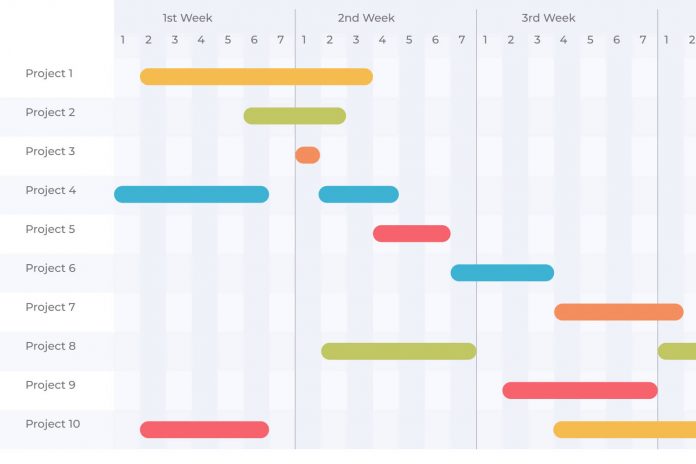
Selecting the right Gantt chart software in 2026 enables transparency, alignment, and predictable delivery across teams and workstreams. With project scope growing more dynamic and cross-functional collaboration becoming the norm, teams need tools that go beyond basic bars on a chart.
The ideal platform should support real-time coordination, resource planning, dependency clarity, and measurable execution without slowing teams down with complexity. However, the market is crowded with tools that look similar on the surface but behave very differently in practice.
This guide simplifies the selection process by analysing leading Gantt solutions, highlighting strengths, trade-offs, and best-fit scenarios, so teams can invest with confidence and scale without switching platforms later.
How We Evaluated These Gantt Tools
To ensure a fair and practical comparison, each platform was assessed using criteria relevant to real project delivery environments, not just feature checklists.
Our evaluation focused on usability, collaboration depth, scheduling capabilities, reporting maturity, scalability, pricing transparency, and suitability for different team sizes and workflows.
We also considered long-term adoption factors such as learning curve, integrations, governance options, and overall value for investment.
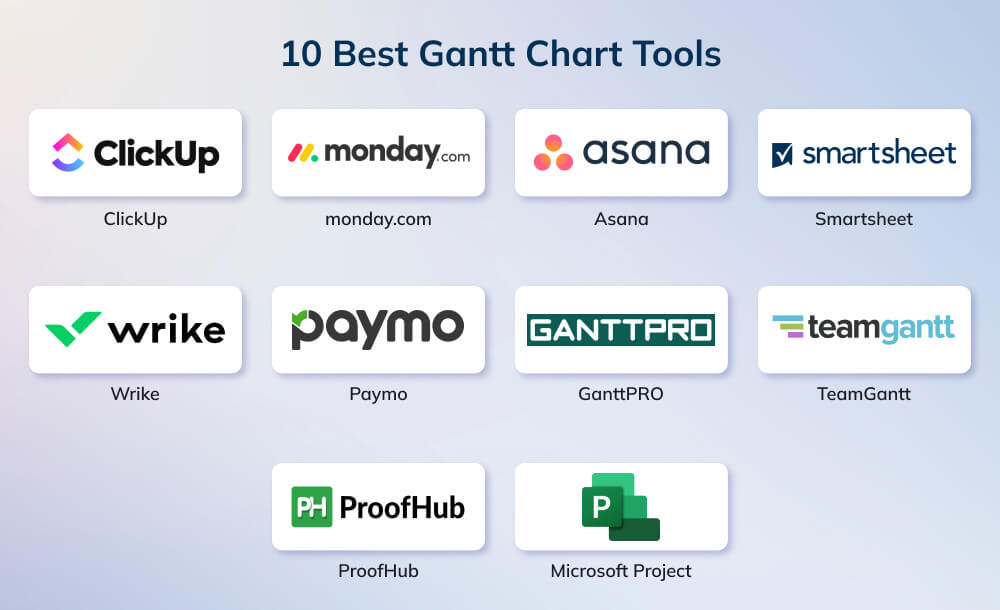
Top 10 Gantt Chart Tools for 2026
Not all Gantt platforms excel in the same areas, and their value often depends on specific use cases rather than feature quantity alone. The tools listed below represent a mix of modern SaaS solutions and established enterprise systems, each suited to different delivery styles, team sizes, and reporting needs. Review them with your workflow, governance expectations, and long-term scalability in mind.
1. ClickUp
ClickUp is a modern work-management platform that includes a fully functional Gantt view suitable for teams of different sizes. The timeline view supports drag-and-drop scheduling, task dependencies, milestones, and real-time updates, making it suitable for both simple planning and cross-department project management. It is designed to replace multiple tools by combining task management, documents, goals, dashboards, and automation in one workspace.
Key Features
- Drag-and-drop Gantt chart for timelines, dependencies, and milestones.
- Custom hierarchy structure suitable for different team or portfolio levels.
- Real-time collaboration, comments, tags, and file sharing.
- Workload and resource visualisation in higher-tier plans.
- Automation, custom dashboards, and wide integration support.
Pros
- Highly flexible for different industries and team sizes.
- Comprehensive feature set beyond Gantt planning.
- Free plan available for testing and small teams.
- Interface can feel overwhelming for new users due to feature depth.
- Resource management and advanced reporting require higher-tier plans.
Cons
- Occasional performance slowdowns occur in large workspaces with heavy dashboards or automations.
- Customization options can become difficult to manage without clear workspace governance.
Pricing
ClickUp pricing is structured across four tiers, giving teams flexibility based on features and scale.
- Free Forever: Basic tasks, docs, boards, limited storage, and essential features.
- Unlimited ($7/user/month billed annually): Unlimited storage, integrations, Gantt, custom fields, forms, email, and resource features.
- Business ($12/user/month billed annually): Adds advanced views, reporting, workload, automations, and security features.
- Enterprise (custom pricing): Adds white labeling, custom roles, advanced permissions, onboarding, API, data residency, and compliance options.
2. monday.com

monday.com is a widely used work operating system that offers an intuitive timeline and Gantt-chart interface designed for cross-functional teams. It supports visual planning, automation, collaboration, and customizable workflows, making it suitable for agile, hybrid, and traditional project delivery. Its Gantt functionality allows teams to manage dependencies, milestones, critical paths, and workload visibility within a highly visual layout.
Key Features
- Drag-and-drop Gantt view with dependencies and milestones.
- Workload view for capacity and resource management.
- Custom automation rules and workflow templates.
- Integrations with popular communication, file, and development tools.
- Custom dashboards for reporting and KPI tracking.
Pros
- Very user-friendly interface with minimal learning curve.
- Strong customization without heavy configuration.
- Suitable for distributed or hybrid teams.
Cons
- Advanced features may require higher-tier plans.
- Can become costly for large teams with multiple add-ons.
- Limited complexity for highly technical or regulated project environments.
Monday.com Pricing
monday.com pricing is divided into clear tiers that support teams of different sizes and workflows.
- Free: For up to 2 seats with basic boards and templates.
- Standard ($12/seat/month billed annually): Adds unlimited boards, guest access, automations, integrations, and Gantt.
- Pro ($19/seat/month billed annually): Adds private boards, time tracking, advanced automations, and formulas.
- Enterprise (custom): Adds portfolio management, multi-level permissions, advanced security, and reporting.
3. Asana

Asana is a popular work-management platform designed for task planning, collaboration, and workflow visibility. Its Timeline (Gantt-style) view enables teams to map project schedules, track dependencies, monitor progress, and adjust plans visually. Asana is widely adopted by marketing, operations, product, and cross-functional teams due to its balance of simplicity and capability without requiring heavy configuration.
Key Features
- Timeline view with movable tasks, dependencies, and date adjustments.
- Multiple project views including board, list, calendar, and workload.
- Goal and portfolio features for multi-project oversight.
- Automation rules for recurring actions and handoffs.
- Integrations with communication, file-sharing, and dev-ops tools.
Pros
- Clean and easy-to-use interface suitable for non-technical teams.
- Flexible project structure and multiple viewing formats.
- Strong collaboration features including comments, mentions, and task followers.
Cons
- The Timeline view and workload features are not available on the basic free plan.
- Complex multi-team programs may require additional configuration and governance.
- Reporting is strong but less advanced than some enterprise-focused platforms.
Pricing
Asana pricing offers multiple tiers, so teams can scale their capabilities as they grow.
- Personal (Free): For up to 2 users with unlimited tasks, projects, and basic views.
- Starter ($10.99/user/month annually): Adds Timeline and Gantt, dashboards, workflows, reporting, and automations.
- Advanced ($24.99/user/month annually): Adds portfolios, workload, approvals, branching forms, and advanced integrations.
- Enterprise (custom): Adds workflow bundles, resource management, SAML, admin controls, and advanced security.
- Enterprise+ (custom): Adds compliance-focused controls, data residency, eDiscovery, audit-level features.
4. Smartsheet

Smartsheet is an enterprise-focused work and project management platform built on a spreadsheet-style interface. Its Gantt features are well suited for organisations that require structured planning, cross-department coordination, and detailed scheduling. It supports baselining, critical-path visibility, dependencies, and resource-driven planning, making it a strong option for PMOs, operations, and large implementation programs.
Key Features
- Full Gantt view with dependencies, critical path, and baselines.
- Sheet-based structure familiar to spreadsheet users.
- Portfolio and program management dashboards.
- Automated workflows and approval routing.
- Integrations with business systems, cloud storage, and BI tools.
Pros
- Strong alignment with traditional project management practices.
- Scales well for enterprise programs and complex reporting needs.
- Familiar interface for Excel-oriented teams.
Cons
- Interface can feel less modern compared to newer SaaS PM tools.
- Some advanced capabilities require setup and governance.
- Pricing may be higher for large deployments with many users.
Pricing
Smartsheet pricing provides plan levels that support both simple task tracking and enterprise PMO needs.
- Pro ($9/member/month billed yearly): Core project views, formulas, unlimited sheets, reports, and limited automations.
- Business ($19/member/month billed yearly): Adds timeline, workload, admin controls, unlimited automations, and expanded storage.
- Enterprise (custom): Adds advanced security, SSO, advanced insights, and unlimited storage.
- Advanced Work Management (custom): Tailored enterprise-grade solution packages.
5. Wrike
Wrike is a professional work-management and project collaboration platform designed for teams that require structured planning, cross-team visibility, and detailed project controls. Its Gantt Chart view allows users to build timelines, track dependencies, identify critical paths, and adjust schedules in real time. It is widely adopted in marketing, PMOs, IT, professional services, and product delivery environments.
Key Features
- Dynamic Gantt Chart with drag-and-drop rescheduling.
- Critical path analysis and dependency management.
- Custom workflows and advanced automation rules.
- Built-in proofing, approvals, and time tracking.
- Resource and workload management in higher tiers.
Pros
- Strong for complex projects that need dependency clarity and workflow governance.
- Multiple dashboards, reporting widgets, and analytic tools.
- Suitable for both agile-hybrid and traditional delivery.
Cons
- Can feel feature-heavy for small teams or simple projects.
- Best features are reserved for higher-tier plans.
- Adoption may require onboarding planning.
Pricing
Wrike pricing offers scalable plans built for teams ranging from small groups to enterprise portfolios.
- Free: Basic project and task management for small starter teams.
- Team ($10/user/month): Adds Gantt, dashboards, custom fields, folders, automations, and integrations.
- Business ($25/user/month): Adds blueprints, request forms, advanced approvals, resource planning, and reporting.
- Enterprise (custom): Adds enterprise-level security, permissions, SSO, audit controls, and higher automation limits.
- Pinnacle (custom): Adds advanced analytics, capacity planning, budgeting, utilization insights, and complex workflow features.
| Wrike Case Study (Fitbit)
Fitbit adopted Wrike to replace manual spreadsheets and scattered files with dynamic Gantt-style timelines. Using Wrike’s timeline view, the marketing and creative teams gained clear visibility into launch schedules, dependencies, and workloads. This helped them project realistic timelines, reassign tasks quickly, and remove bottlenecks during product launches. Wrike’s Gantt-driven structure saved Fitbit 200+ hours a year in tracking launch materials and cut project-management time by over 50%. The team also reduced 400 hours of meeting time annually by managing reviews and approvals directly in Wrike. The result was faster launches, better accountability, and a centralized workflow across global teams. |
6. Paymo

Paymo is a project management and work delivery platform designed for small to mid-sized businesses, agencies, and service-based teams. It combines timeline planning, task management, time tracking, and invoicing in a single system, making it suitable for teams that need both scheduling and commercial visibility. Its Gantt chart feature supports dependencies, milestones, and progress tracking across multiple projects.
Key Features
- Interactive Gantt chart with dependencies and critical path.
- Built-in time tracking, timesheets, and invoicing.
- Task management with multiple project views.
- File sharing, comments, and role-based permissions.
- Team scheduling and workload visibility.
Pros
- Ideal for agency and client-service environments.
- Combines planning, delivery, and billing in one platform.
- Good balance between features and pricing.
Cons
- Not designed for very large or complex enterprise programs.
- Reporting and dashboards are more limited than high-end PM platforms.
- Interface may feel less modern compared to newer competitors.
Pricing
Paymo pricing ranges from a free entry plan to advanced tiers that include invoicing and scheduling.
- Free ($0, 1 user): Limited projects and clients, unlimited time tracking and tasks.
- Solo ($5.9/month, 1 user): Adds more clients and projects, calendar and Kanban views, guest access, tech support.
- Plus ($10.9/user/month): Adds spreadsheet view, recurring tasks, reporting, profitability, invoicing, and integrations.
- Pro ($16.9/user/month): Adds Gantt charts, dependencies, scheduling, leave management, approvals, and priority support.
7. GanttPRO
GanttPRO is a dedicated Gantt-based project planning platform designed for users who want strong scheduling and timeline management without adopting a full enterprise work-management system. It provides detailed Gantt chart capabilities, workload management, budgeting, and time tracking, making it suitable for project managers who prefer a structured planning environment with a clean, purpose-built interface.
Key Features
- Full-feature Gantt planning with drag-and-drop editing.
- Task dependencies, milestones, and critical path support.
- Workload and resource allocation with availability controls.
- Budgeting, cost estimation, and time-tracking tools.
- Pre-built project templates for quick setup.
Pros
- Strong dedicated Gantt capability without unnecessary complexity.
- Clean and easy-to-learn interface with minimal onboarding time.
- Good balance between planning features and cost.
Cons
- Not as feature-rich as full work-management platforms.
- Limited collaboration and portfolio-level insights compared to enterprise tools.
- Fewer native integrations than some competitors.
Pricing
GanttPRO pricing is structured across Core, Advanced, Business, and Enterprise tiers based on planning depth.
- Core ($7/user/month billed annually): Gantt planning, calendar, auto-scheduling, and virtual resources.
- Advanced ($10/user/month billed annually): Adds custom fields, calendar exceptions, templates, and overdue task tracking.
- Business ($17/user/month billed annually): Adds workload, portfolios, reporting, budgeting, and time tracking.
- Enterprise (custom): Adds SSO, custom roles, onboarding assistance, and priority support.
8. TeamGantt
TeamGantt is a dedicated Gantt chart platform built for teams that prefer a simple and visual scheduling tool without the complexity of full enterprise work-management systems. It focuses on drag-and-drop planning, workload visibility, and collaborative timelines, making it suitable for small to mid-sized teams that prioritise clarity and ease of use over advanced configuration.
Key Features
- Intuitive drag-and-drop Gantt scheduling.
- Task dependencies, milestones, and progress tracking.
- Workload and availability charts.
- File sharing, comments, and real-time collaboration.
- Multiple projects displayed in a single view.
Pros
- Very easy to learn and navigate for non-technical users.
- Clean interface designed specifically for timeline planning.
- Good fit for small teams and client-facing projects.
Cons
- Limited advanced capabilities compared to broader PM suites.
- Not ideal for large programmes or heavy compliance environments.
- Fewer integrations compared to all-in-one platforms.
Pricing
TeamGantt pricing keeps things simple with straightforward plans suitable for small to mid-sized teams.
- Free plan available with basic features.
- Paid plans typically begin around $20 to $25 per user per month when billed annually.
- Upgraded tiers include additional features and team-level visibility.
| TeamGantt Case Study (Champion Industrial)
Champion Industrial Contractors replaced scattered spreadsheets, emails, and outdated MS Project files with TeamGantt’s live Gantt-chart timelines to coordinate office and field teams. With one centralized schedule, every crew now works from the latest plan, reducing delays and eliminating confusion from multiple document versions. Real-time updates, custom department boards, and drag-and-drop scheduling helped the fabrication, shipping, service, and installation teams stay aligned across dozens of projects. The switch significantly reduced missed tasks, improved same-day communication with field crews, and strengthened handoffs between departments. TeamGantt gave the 93-year-old firm a single source of truth for all project timelines. |
9. ProofHub
ProofHub is an all-in-one project management and collaboration platform designed for teams that prefer a flat pricing model without per-user charges. Its Gantt chart feature allows users to plan timelines, assign responsibilities, create dependencies, and track task progress. The platform is commonly adopted by small to mid-sized teams looking for a simple planning and communication hub without complex configuration needs.
Key Features
- Gantt view with drag-and-drop scheduling and dependencies.
- Task management with roles, priorities, and custom workflows.
- Built-in discussions, proofing, and approval capability.
- Time tracking and basic reporting tools.
- Unlimited users in paid plans with fixed subscription pricing.
Pros
- Predictable, fixed pricing regardless of team size.
- Easy to adopt for non-technical users.
- Combines planning and collaboration in one tool.
Cons
- Limited advanced reporting and analytics.
- Fewer integrations compared to leading enterprise tools.
- Not ideal for very large or compliance-heavy environments.
Pricing
ProofHub pricing uses a flat-rate model with fixed-cost plans that allow unlimited users.
- Essential ($45/month billed annually): Supports up to 40 projects, unlimited users, and 15GB storage.
- Ultimate Control ($89/month billed annually, limited-time discounted price): Includes unlimited projects, unlimited users, and 100GB storage.
10. Microsoft Project

Microsoft Project is one of the most established project scheduling and portfolio management tools, widely used in traditional project management, engineering, construction, government, and enterprise environments. Its Gantt chart functionality is highly detailed, supporting advanced scheduling logic, baselines, critical path analysis, and resource-driven planning. It is best suited for teams that require rigorous project controls and formal delivery methodologies.
Key Features
- Advanced Gantt chart with dependencies, baselines, and critical path.
- Resource allocation, utilization charts, and cost management.
- Portfolio planning and multi-project visibility.
- Multiple scheduling modes including manual and automatic.
- Integration with Microsoft 365 ecosystem and Power BI reporting.
Pros
- Powerful scheduling engine suitable for complex and regulated projects.
- Strong enterprise adoption and long-term industry credibility.
- Deep resource and cost tracking capabilities.
Cons
- Steeper learning curve compared to modern SaaS tools.
- Collaboration is less intuitive without additional Microsoft ecosystem products.
- Pricing and deployment may be more suitable for enterprise than small teams.
Pricing
Microsoft Project pricing includes multiple tiers that support everyone from basic planners to enterprise PMOs.
- Microsoft Planner (included with Microsoft 365): Basic task planning, collaboration, templates, multiple views, dependencies, and Microsoft cloud security.
- Planner Plan 1 ($10/user/month billed annually): Adds project goals, sprints, backlogs, reporting, customization, and Timeline (Gantt).
- Planner + Project Plan 3 ($30/user/month billed annually): Adds baselines, critical path, resource requests, program management, budgeting, Project desktop, and Project Online.
- Planner + Project Plan 5 ($55/user/month billed annually): Adds portfolio management, enterprise resource planning, and advanced analytics.
How to Identify the Right Tool for Your Team
Choosing the ideal Gantt solution is not about picking the most feature-rich platform, but the one that aligns best with your workflow, team size, governance needs, and delivery approach.
The right fit should simplify planning, improve communication, and scale without forcing a future migration. Use the checklist below to evaluate each tool against your organisation’s priorities.
Gantt Tool Selection Checklist |
||
| Evaluation Area | Key Questions to Validate | Pass / Needs Review |
| Team & Work Fit | Supports your delivery style (Agile/Hybrid/Waterfall)? | ? / ? |
| Handles project size, volume, and complexity? | ? / ? | |
| Suitable for multi-project or cross-team visibility? | ? / ? | |
| Usability & Adoption | Easy to learn and onboard new users quickly? | ? / ? |
| Interface reduces manual admin effort? | ? / ? | |
| Offers flexible viewing modes (Gantt, Kanban, List, Calendar)? | ? / ? | |
| Planning & Control | Supports dependencies, critical path, and baselines? | ? / ? |
| Provides workload & resource management? | ? / ? | |
| Real-time updates without refresh delays? | ? / ? | |
| Collaboration & Integration | Allows seamless stakeholder visibility & commenting? | ? / ? |
| Integrates with existing ecosystem (e.g., Jira, Slack, Google, MS)? | ? / ? | |
| Includes permission controls and role-based access? | ? / ? | |
| Reporting & Insights | Dashboards are easy to configure and share? | ? / ? |
| Provides portfolio or leadership-level visibility? | ? / ? | |
| Allows export without format or tool restriction? | ? / ? | |
| Pricing & Scalability | Pricing aligns with team size and growth phases? | ? / ? |
| Scales without requiring future tool migration? | ? / ? | |
| Core features aren’t locked behind steep upgrades? | ? / ? | |
Conclusion
Every Gantt tool offers a different balance of usability, scale, and governance, which is why the smartest choice depends on how your team plans work, reports progress, and handles change. Some platforms excel in simplicity, while others specialise in structured delivery, portfolio visibility, or enterprise-level controls.
Evaluating how each tool aligns with your execution culture, reporting needs, and long-term growth will help you avoid costly switching and maintain operational consistency. The goal is not only visual scheduling but also selecting a system that supports disciplined delivery, clearer communication, and informed decisions throughout the project lifecycle.
If you’re looking to deepen your skills and stay market-ready, explore Invensis Learning’s Project Management certification courses. These programs offer globally recognised pathways designed for modern delivery environments.