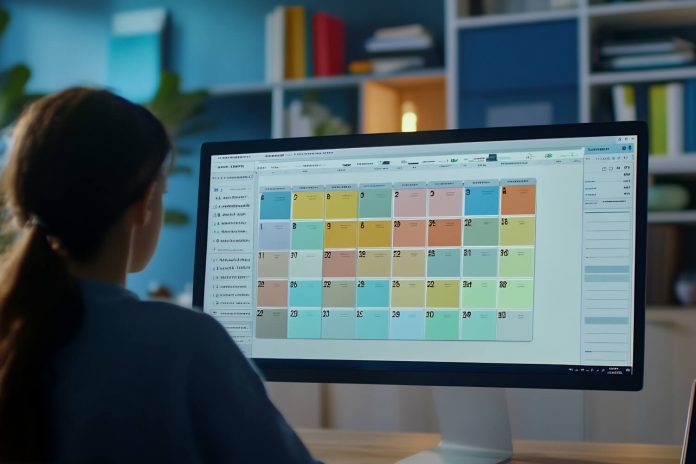
Best Project Scheduling Software Tools help teams plan timelines, track progress, and keep work on schedule without confusion or guesswork. Each tool offers a different mix of views, automations, and reporting options that shape how teams plan their tasks and manage deadlines. Some tools simplify daily coordination. Others support detailed timelines with dependencies, resource visibility, and real-time updates. The main goal is to choose a platform that fits your team’s pace, project size, and work structure.
This guide compares nine leading scheduling tools so you can understand their strengths, limits, pricing, and ideal use cases. It provides a clear starting point for finding a tool that fits your workflow and improves your planning accuracy.
Table Of Contents
- A Quick Comparison of the 9 Best Project Scheduling Tools
- Top 9 Project Scheduling Software in 2026
- Asana
- monday.com
- Trello
- ClickUp
- Zoho Projects
- ProjectManager
- Smartsheet
- Jira Software
- ProProfs Project
- Conclusion
A Quick Comparison of the 9 Best Project Scheduling Tools
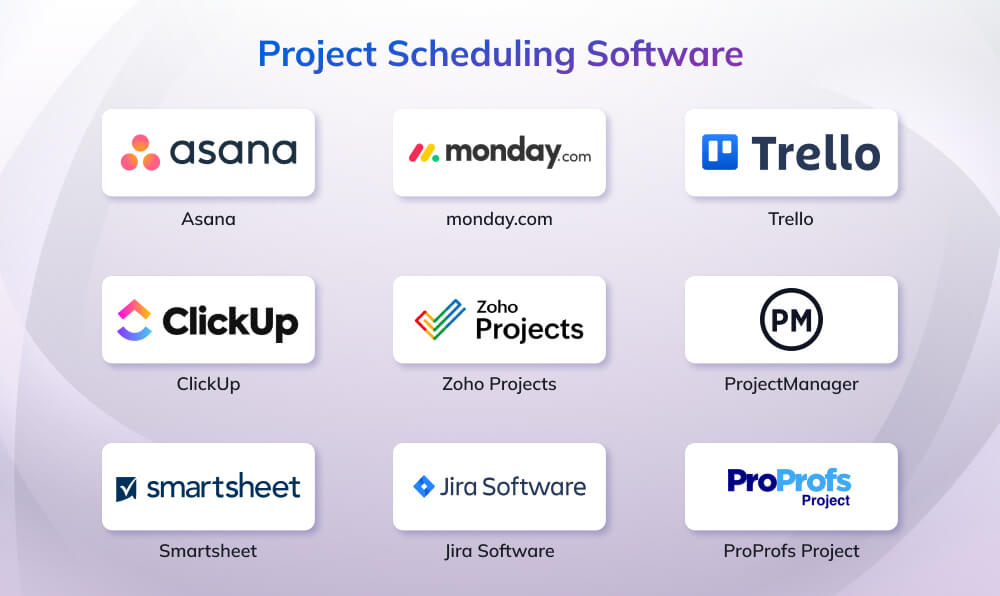
Choosing the right scheduling tool depends on how your team plans work, visualizes timelines, manages resources, and tracks progress. Here’s a quick side-by-side comparison of the nine most reliable project-scheduling platforms used by modern product and project teams.
| Tool | Best For | Key Scheduling Views | Standout Strength | Main Limitation | Pricing (Starting) |
| Asana | Cross-functional teams needing structured planning | List, Board, Calendar, Timeline, Gantt | Strong automations + reporting | Advanced features only on higher tiers | Free / $10.99 |
| monday.com | Visual schedulers who want customizable workflows | Calendar, Timeline, Gantt, Boards | Highly visual + strong automations | Advanced features locked to higher plans | Free / $12 |
| Trello | Simple task planning with light scheduling | Boards, Calendar*, Timeline* | Extremely easy to use + strong automation | Limited advanced scheduling | Free / $5 |
| ClickUp | Teams needing detailed timeline + resource planning | Gantt, Timeline, Calendar, Boards | Unlimited Gantt charts + built-in time tracking | Can feel overwhelming | Free / $7 |
| Zoho Projects | Small teams needing structured WBS + Gantt | Gantt, Calendar, List | Strong WBS + dependencies even on free plan | Free plan users/project limits | Free / $4 |
| ProjectManager | Teams needing deep scheduling + resource visibility | Gantt, Calendar, Sheet, Kanban, Roadmap | Real-time dashboards + workload charts | Higher-tier feature caps | $14 |
| Smartsheet | Spreadsheet-friendly teams wanting flexible scheduling | Grid, Gantt, Calendar, Card | Excellent timelines + automation + dashboards | Advanced features scale with pricing | $9 |
| Jira Software | Agile & technical teams needing structured iterations | Backlog, List, Board, Timeline, Calendar | AI-powered planning + strong dependency tracking | Premium needed for cross-team planning | Free / $7.91 |
| ProProfs Project | Small teams needing simple, easy scheduling | Gantt, Calendar, Kanban | Very easy setup + strong basics even on free plan | Limited for large portfolios | Free / $39.97/month plan |
Top 9 Project Scheduling Software in 2026
Now that you’ve seen a quick comparison, this section breaks down each tool in more detail so you can understand where they stand out. Every platform offers a unique mix of scheduling features, workflow capabilities, and team support. Reviewing them individually helps you match the right tool to your planning style and project needs.
1. Asana

Asana is a project scheduling and work management tool that helps teams plan timelines, assign work, and track progress across multiple projects. It supports scheduling through timelines, Gantt-style views, calendars, and dependency-based task planning, making it suitable for teams that need structured coordination and visibility into deadlines across functions.
Key Features
- Multiple project views, lists, boards, calendars, timelines, and Gantt, for flexible planning.
- Real-time status tracking and universal reporting to monitor progress without constant check-ins.
- Custom intake forms and workflows that simplify managing incoming work requests.
- 300+ integrations connecting Asana to tools like Slack, Google Workspace, and Microsoft Teams.
- Workflow automation that routes tasks automatically and reduces repetitive manual steps.
Pros
- Highly adaptable for teams of all sizes with simple or complex workflows.
- Strong automation options that streamline processes and increase efficiency.
- Scales well with advanced features, security controls, and enterprise-level administration.
Cons
- Many advanced features, like portfolios and approvals are limited to higher-tier plans.
- New users may find the interface overwhelming due to its wide range of features.
- Built-in time tracking is only available on advanced tiers, requiring upgrades for full use.
Pricing
Asana pricing ranges from a free entry plan to advanced enterprise tiers with expanded controls.
- Free: US$0
- Starter: US$10.99/user/month (billed annually)
- Advanced: US$24.99/user/month (billed annually)
- Enterprise: Contact sales
- Enterprise+: Contact sales
2. monday.com

monday.com is a visual work management and scheduling platform built for teams that want to plan, organize, and optimize their weekly workflows in one place. It combines timelines, boards, calendars, automations, and mobile-friendly tools to help teams coordinate tasks and stay ahead of deadlines. With features for tracking time, syncing calendars, and customizing workflows, monday.com supports individuals and teams that need a clear, intuitive way to manage both simple and complex schedules.
Key Features
- Multiple views including Calendar, Timeline, Gantt, lists, and customizable boards.
- Time tracking options to monitor how long tasks take throughout the week.
- Google Calendar integration to sync due dates and schedules seamlessly.
- Smart notifications and reminders to stay updated on approaching deadlines.
- Mobile app access for scheduling and task management on iOS and Android devices.
Pros
- Highly visual and user-friendly interface suited for all team types.
- Strong workflow automation and integrations for streamlined coordination.
- Flexible layouts that adapt easily to task, project, or resource planning.
Cons
- Advanced features such as time tracking and formulas require higher-tier plans.
- Automations and integrations are limited on lower-tier subscriptions.
- Can become expensive for teams needing multiple seats or advanced usage.
Pricing
monday.com plans offer the freedom to scale from individual use to enterprise-level operations.
- Free: $0 (up to 2 seats)
- Standard: $12/seat/month (billed annually)
- Pro: $19/seat/month (billed annually)
- Enterprise: Contact sales
| How Monday.com Helped City of Baltimore Modernizing their Procurement Scheduling
The City of Baltimore Bureau of Procurement modernized its procurement operations by adopting monday.com as a centralized project scheduling and work management tool. Managing nearly $1 billion in annual contracts across dozens of departments, the team needed clearer timelines, real-time visibility, and better coordination. Previously, work was spread across emails, spreadsheets, and meetings, making it difficult to track progress and capacity. With monday.com, procurement schedules, renewals, amendments, and a 22-point transformation plan were all tracked in one system using live dashboards and automated updates. This shift improved scheduling accuracy, workload planning, and transparency, saving over 2,500 hours annually, delivering 2x ROI, and achieving full adoption across the procurement team. |
3. Trello

Trello is a lightweight project scheduling and task planning tool built around visual boards and cards. While simpler than traditional scheduling software, it supports basic scheduling through due dates, calendars, timeline views, and automation. Trello is best suited for teams managing short-term schedules, personal task planning, or projects where visual flow and ease of use are more important than complex dependency or resource planning.
Key Features
- Inbox, Boards, and Planner for capturing, organizing, and scheduling daily tasks.
- Email, Slack, and Teams message capture that converts communication into actionable to-dos.
- Built-in automation with no-code rules to streamline repetitive steps.
- Card mirroring for tracking the same task across multiple boards at once.
- Power-Ups and integrations for connecting Trello with tools like Google Drive and Salesforce.
Pros
- Extremely easy to use with a clean, visual interface suitable for any skill level.
- Strong automation features that reduce manual task updates and reminders.
- Highly customizable with Power-Ups, themes, and flexible board structures.
Cons
- Advanced views such as Timeline, Dashboard, and Calendar require paid plans.
- File upload limits on lower tiers may be restrictive for large attachments.
- Complex project teams may outgrow Trello’s simplicity and require additional structure.
Pricing
Trello offers plans that range from basic personal use to advanced enterprise administration.
- Free: $0
- Standard: $5/user/month (billed annually)
- Premium: $10/user/month (billed annually)
- Enterprise: $17.50/user/month (billed annually)
4. ClickUp

ClickUp is a project work and scheduling platform designed for teams that need detailed control over tasks, timelines, and resource-based planning. It brings together task creation, calendars, Gantt charts, sprint tools, and workload management, making it suitable for teams that schedule complex work in fast-moving environments. With unlimited task views, real-time collaboration, and native time tracking, ClickUp helps teams coordinate schedules, manage priorities, and structure project timelines with clarity.
Key Features
- Unlimited Gantt charts for building visual project timelines across all plans above Free.
- Calendar and Timeline views for scheduling tasks, deadlines, and sprint activities.
- Native time tracking to understand how long work takes and adjust schedules accordingly.
- Goals, portfolios, and resource management to align scheduling with capacity and long-term planning.
- Automations for routing tasks, updating dates, and simplifying recurring scheduling work.
Pros
- Strong scheduling and planning tools with unlimited Gantt charts on paid plans.
- Built-in time tracking supports more accurate scheduling and workload forecasting.
- Highly customizable views that support simple and complex project structures.
Cons
- Many scheduling-focused features require upgrading from the Free plan.
- Can feel overwhelming for new users due to extensive customization options.
- Advanced workload and resource features are only available on higher tiers.
Pricing
ClickUp plans are scheduling-focused that scale from individuals to large enterprise teams.
- Free: $0
- Unlimited: $7/user/month (billed annually)
- Business: $12/user/month (billed annually)
- Enterprise: Contact sales
5. Zoho Projects

Zoho Projects is a cloud-based project management tool that gives teams structured scheduling through work breakdowns, Gantt charts, calendars, and reports. It lets you map projects into milestones, task lists, tasks, subtasks, and issues, so schedules are built from clear building blocks instead of ad-hoc to-dos. With a Gantt view, finish-to-start dependencies, color-coded calendars, and basic task/issue reports, Zoho Projects helps small teams and startups plan timelines, track progress, and keep work organized, even on its free plan.
Key Features
- Work breakdown structure using milestones, task lists, tasks, subtasks, and issues
- Gantt chart view with finish-to-start task dependencies
- Color-coded calendar with Google Calendar and iCal sync
- Basic task and issue reports for status, assignee, tags, and more
- Custom statuses, portal branding, and integrations with Zoho apps and third-party tools
Pros
- Strong scheduling foundation with WBS plus Gantt charts, even on the free plan
- Built-in calendar and reports give quick visibility into upcoming work and status
- Native integrations with Zoho CRM, Zoho Meeting, Zoho Sprints, and core third-party apps
Cons
- Free plan is limited to a small number of projects and users
- Advanced reports, time tracking, blueprints, and automation require paid tiers
- Cross-project dependencies and all four dependency types are only in higher plan
Pricing
Zoho Projects offers a permanently free tier plus affordable paid plans that expand scheduling features and limits.
- Free: $0, up to 5 users
- Premium: $4/user/month (billed annually)
- Enterprise: $9/user/month (billed annually)
6. ProjectManager
ProjectManager is a cloud-based project scheduling platform built for teams that need detailed timelines, resource visibility, and real-time tracking. It supports scheduling through Gantt charts, calendars, lists, spreadsheets, and kanban boards, letting managers plan task sequences, set dependencies, assign resources, and monitor progress against a baseline. With built-in time tracking, workload charts, and automated dashboards, ProjectManager helps teams keep schedules accurate and projects moving on time and within budget.
Key Features
- Interactive Gantt charts with dependencies, milestones, phases, and baseline comparison
- Multiple scheduling views including calendar, kanban, sheet, task list, and portfolio roadmap
- Real-time dashboards that calculate task, cost, and time data automatically
- Workload charts for balancing team availability and preventing resource bottlenecks
- Online timesheets and budget tracking for aligning schedules with actual work and costs
Pros
- Strong selection of scheduling tools including Gantt, calendar, resource load, and portfolio roadmaps
- Real-time dashboards reduce manual reporting and keep schedules up to date
- Built-in time tracking and workload features support more accurate planning
Cons
- Higher-tier features like advanced reports, portfolio dashboards, and workload planning require paid plans
- Project limits apply on lower tiers
- Automation rules are capped unless upgraded to Enterprise
Pricing
ProjectManager’s plans scale from small teams to advanced portfolio management.
- Team: $14/user/month (billed annually)
- Business: $26/user/month (billed annually)
- Enterprise: Custom pricing
| Lamothermic Boosts Manufacturing Project Scheduling
Lamothermic Corp., a manufacturing company based in Brewster, New York, modernized its project scheduling and operations by moving away from paper-based processes and spreadsheets to ProjectManager. As the company grew, fragmented data and unclear timelines created bottlenecks and extended lead times. By adopting ProjectManager, Lamothermic centralized project schedules, linked task dependencies using Gantt charts, and set baselines to track planned versus actual work. The platform also improved resource scheduling, workload visibility, and cost tracking across multiple projects. Within six months, the company reported an 80 percent increase in productivity, better identification of process bottlenecks, and improved lead-time performance, supporting more efficient planning and scalable growth. |
7. Smartsheet

Smartsheet is an online work execution platform designed for teams that need flexible project scheduling across spreadsheets, Gantt charts, calendars, and card views. Its familiar grid layout makes planning simple, while its scheduling tools, like dependencies, milestones, critical path, workload management, and automated alerts- help teams keep tasks on track and deliver projects on time. With strong reporting and dashboards, Smartsheet supports schedule visibility for teams of any size.
Key Features
- Interactive Gantt charts with dependencies and critical path visibility
- Grid, Gantt, calendar, and card views for flexible scheduling workflows
- Milestones to highlight key dates and significant project deadlines
- Automated notifications and workflow actions for schedule-driven triggers
- Resource management tools to track availability and adjust workload assignments
Pros
- Spreadsheet-style interface makes scheduling easy for new users
- Strong visibility features including dashboards, reports, and real-time alerts
- Flexible views support a wide range of scheduling styles, from Gantt to agile
Cons
- Advanced scheduling features require upgrading from the Pro plan
- Automation and resource management limits vary by tier
- Organizations with large portfolios need higher plans for connectors and scalable control
Pricing
Smartsheet’s multiple plans grow with a team’s scheduling and reporting needs.
- Pro: $9/member/month (billed annually)
- Business: $19/member/month (billed annually)
- Enterprise: Custom pricing
- Advanced Work Management: Custom pricing
8. Jira Software

Jira is an AI-powered work management and project scheduling and tracking platform built for teams that need structured scheduling across backlog, list, board, timeline, and calendar views. It helps teams plan projects by breaking down initiatives into issues, linking dependencies, and automating key steps in the scheduling workflow. Many teams also pair the tool with a Jira training course to better understand its advanced scheduling, workflows, and automation features. With Rovo AI generating plans, surfacing risks, and updating work, Jira supports teams that schedule iterative work, manage complex dependencies, and require continuous visibility into progress and potential delays.
Key Features
- Multiple scheduling views including backlog, list, board, timeline, calendar, and summary
- Rovo AI for breaking down plans, identifying risks, and streamlining project setup
- Customizable workflows and approval processes for structured project execution
- Cross-team planning and dependency management on higher tiers
- Reports, dashboards, and team insights to monitor status and track schedule health
Pros
- Strong AI-supported planning that speeds up scheduling and reduces admin work
- Flexible views for backlog planning, sprint-style boards, and timeline scheduling
- Large-scale capability with support for up to 100,000 users and multiple sites
Cons
- Advanced scheduling features (cross-team planning, capacity, dependency management) require Premium or Enterprise
- Automation limits vary significantly by plan
- Setup can feel complex for non-technical or small teams
Pricing
Jira provides tiered plans that scale from small task-tracking teams to enterprise-level scheduling and governance.
- Free: $0 (up to 10 users)
- Standard: $7.91/user/month
- Premium: $14.54/user/month
- Enterprise: Custom pricing
9. ProProfs Project
ProProfs Project is an online project scheduling system designed for teams that need a simple way to create plans, assign tasks, set dependencies, and track deadlines. It centralizes schedules, resources, updates, and reports so teams can monitor progress from start to finish. With an intuitive dashboard, Gantt charts, shared calendars, and real-time collaboration, ProProfs Project helps teams build timelines, manage workloads, and keep projects within budget while reducing missed deadlines.
Key Features
- Gantt charts for scheduling milestones, tasks, and dependencies
- Shared calendar and Kanban views to visualize deadlines and task progress
- Real-time collaboration through task comments, file sharing, and approvals
- Reporting tools for budget estimates, progress snapshots, and performance insights
- Time tracking, timesheets, and invoicing for schedule-linked billing and client work
Pros
- Very easy for small teams to adopt due to its simple interface
- Strong scheduling foundation with Gantt, calendar, and Kanban included even in free plan
- Centralized platform for tracking time, deadlines, and client billing
Cons
- Free plan limits user count for growing teams
- Advanced features like white label, SSO, and workflow customizations require upgrades
- Not as feature-rich for large, complex portfolios as enterprise tools
Pricing
ProProfs Project offers pricing that’s straightforward and all-inclusive for both small teams and larger organizations.
- Free: $0 (up to 3 users)
- Business: $39.97/month
Conclusion
Choosing the right project scheduling tool depends on how your team plans tasks, manages dependencies, allocates resources, and adapts to changes during execution. Some teams need detailed Gantt charts for long-term planning and dependency control, while others benefit more from flexible boards, automation, or real-time dashboards. The most effective tool is one that aligns with your project complexity, team size, and reporting needs, while providing clear visibility into timelines, workloads, and progress. A well-chosen scheduling platform helps reduce delays, improves coordination, and supports informed decision-making throughout the project lifecycle. If you want to improve your planning skills beyond software, consider building a stronger foundation through PM training. Invensis Learning offers courses like PMP, PRINCE2, CAPM, and Microsoft Project Training to help teams and individuals deepen their scheduling, execution, and leadership skills.