Microsoft Project has been a long-standing standard in project planning and scheduling, but the way teams manage work in 2026 has changed significantly. Modern organisations need tools that are easier to adopt, support real-time collaboration, integrate seamlessly with everyday apps, and offer flexible pricing models that scale with teams rather than constrain them. As a result, many project managers now evaluate alternatives that provide comparable structure with better usability and lower operational friction.
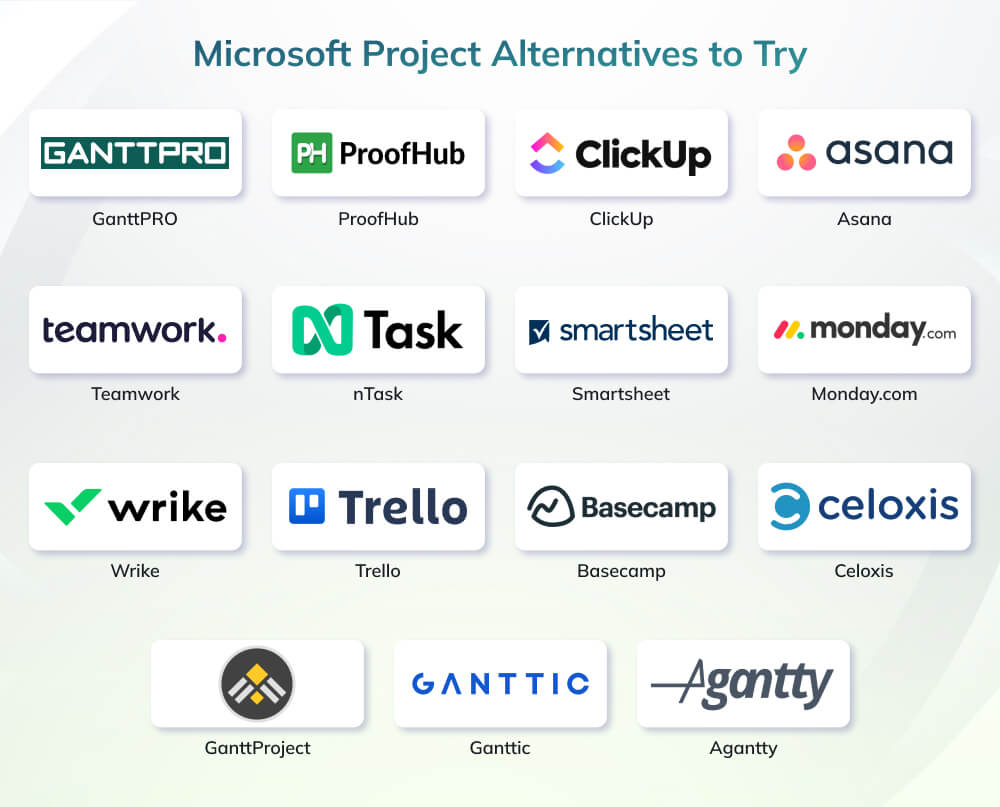
This guide presents the 15 best Microsoft Project alternatives that deliver strong scheduling capabilities, clearer workflows, and practical features for cross-functional teams. Each option has been assessed for usability, collaboration depth, reporting strength, and overall value to help you identify a solution aligned with your delivery environment, maturity level, and portfolio complexity.
How We Selected the Best Microsoft Project Alternatives
To ensure this list accurately reflects what modern delivery teams need, every tool was evaluated against criteria typically used by PMOs, enterprise IT teams, and project managers.
Usability & Adoption Speed: learning curve, interface clarity, and how quickly teams can become productive.
Planning & Scheduling Strength: support for timelines, dependencies, workloads, and resource allocation.
Collaboration & Workflow Fit: real-time communication, visibility, and suitability for remote or hybrid teamwork.
Reporting & Portfolio View: dashboards, analytics depth, and executive-level insights.
Integrations & Ecosystem Compatibility: ability to connect with Microsoft 365, Google Workspace, Slack, Teams, CRMs, and dev tools.
Pricing Transparency & Value: accessibility for different team sizes and overall cost-effectiveness compared to MS Project.
Quick Comparison Table (with accurate starting prices)
Tool
Best For
Key Strengths
Starting Price*
GanttPRO
Teams wanting MS Project-style Gantt planning
Strong Gantt scheduling, multiple views, fast onboarding
From $7/user/month (Core plan, billed annually)
ProofHub
Growing teams needing flat, non–per-user pricing
All-in-one PM + collaboration, unlimited users
From $45/month (Essential, flat rate, billed annually)
ClickUp
All-in-one workspace (tasks, docs, goals)
Flexible views, automation, strong free tier
Free plan, paid from $7/user/month (Unlimited, billed annually)
Asana
Small and mid-sized teams
Clean UI, task workflows, solid integrations
Free plan, paid from $10.99/user/month (Starter, billed annually)
Teamwork
Client-service / agency work
Time tracking, billing, client collaboration
Free plan, paid from around $10.99/user/month
nTask
Budget-conscious teams needing essentials
Tasks, time tracking, risk/issue management
Free plan, paid from $3–4/user/month (Premium)
Smartsheet
Enterprise PMOs, spreadsheet-centric teams
Grid + Gantt, automation, resource management
From $9/member/month (Pro)
Monday.com
Visual, board-based work management
Custom boards, automations, many templates
Free plan, paid from $8/seat/month (Basic, billed annually)
Wrike
Cross-functional and larger teams
Advanced views, automation, dashboards
Free plan, paid from $10/user/month (Team, billed annually)
Trello
Lightweight Kanban, simple projects
Extremely easy boards, flexible structure
Free plan, paid from $5/user/month (Standard)
Basecamp
Communication–first teams & SMEs
Messages, tasks, files in one place, unlimited users
From $25/user/month (Essential, billed annually, min 5 users)
GanttProject
Individuals needing classic Gantt offline
Free desktop app, WBS, dependencies
Free (donation-based, no mandatory fee)
Ganttic
Resource-centric planning
Capacity planning, resource utilization views
Free up to 10 resources, paid from $25/month (up to 20 resources)
Agantty
Small teams needing a simple free Gantt tool
Unlimited projects in free version, visual Gantt
Free core version; Premium from about €4.90/user/month
Best Microsoft Project Alternatives to Try in 2026
Selecting the right MS Project replacement depends on how your team plans, collaborates, and reports. The tools below were chosen for their scheduling strength, usability, and ability to support modern, cross-functional delivery environments. Each summary focuses on practical value, not marketing claims, so you can assess fit quickly and confidently.
1. GanttPRO
GanttPRO is one of the closest like-for-like replacements for Microsoft Project, especially for teams that depend on structured timelines and resource visibility. It retains the rigor of traditional scheduling while improving ease of use, making it suitable for PMOs and delivery teams that need precision without complexity.
Key Highlights
Strong Gantt chart engine with dependencies, baselines, and critical path
Multiple work views (Gantt, Board, Portfolio, My Tasks)
Fast onboarding with minimal training required
Resource allocation with workload, effort, and cost visibility
GeoComply is a Vancouver-based company operating in media and payment transaction protection, providing location services and identity verification for regulated US markets. The Head of Infrastructure and DevOps project managers use GanttPRO to plan complex, long-term projects spanning two to three years. Before GanttPRO, the team relied on Excel and other Gantt tools that lacked flexibility, workload tracking, and clear dependency visibility. With GanttPRO, they gained a structured timeline view, accurate resource distribution using virtual resources, and better deadline and effort estimation. The team successfully delivered two major projects and quickly assessed the impact of staffing changes. GanttPRO now supports planning multiple short- and long-term initiatives with confidence.
2. ProofHub
ProofHub is a structured work management platform designed for teams that want a single, central environment for tasks, discussions, notes, and scheduling without per-user pricing. Its fixed-cost model makes it attractive for growing teams, while its toolset enables straightforward planning and collaboration without the complexity of enterprise PM software.
Key Highlights
Unified workspace for tasks, discussions, files, notes, and calendars
Multiple project views, including Gantt, Table, Kanban, and Calendar
Custom workflows with defined stages and approvals
Built-in time tracking with timesheets
Centralized document management with version control
Flat-rate pricing suitable for scaling teams
Pros
No per-user charges, predictable cost for large teams
Simple interface suited to non-technical users
Strong collaboration features (discussions, announcements, notes)
Easy setup with minimal onboarding effort
Cons
Limited integrations compared to broader PM ecosystems
Not ideal for complex resource, cost, or portfolio management
ClickUp is a flexible, all-in-one work platform designed for teams that want to consolidate tasks, documents, goals, and workflows into a single system. It offers far more configurability than traditional project tools, making it suitable for teams that need adaptable structures rather than rigid scheduling environments.
Key Highlights
Multiple work views including List, Board, Gantt, Timeline, Workload, and Docs
Custom fields, statuses, automations, and templates for tailored workflows
Goal tracking with measurable targets and OKR-style alignment
Docs and whiteboards built into the platform, reducing reliance on third-party tools
Real-time collaboration with comments, mentions, and task-level chat
Extensive integrations including Slack, Teams, Google Workspace, and Git tools
Pros
Highly customizable to different team processes
Strong free plan with essential project features
Broad view options suitable for agile, waterfall, or hybrid teams
Asana is a structured work management platform known for its clarity, simple navigation, and strong support for task-based workflows. It suits teams that prioritize visibility, repeatable processes, and cross-functional coordination without needing the heavy configuration of more complex tools.
Key Highlights
Clean task structure with subtasks, dependencies, and milestones
Multiple views including List, Board, Timeline, Calendar, and Workflow Builder
Custom rules for automating routine updates and status changes
Collaborative features such as comments, file attachments, and real-time notifications
Strong ecosystem of integrations including Slack, Google Workspace, Zoom, Jira, and more
Portfolio and workload views available in higher-tier plans for PMO oversight
Pros
Intuitive interface that supports rapid adoption
Excellent for managing multi-step processes and recurring workflows
Strong automation and integration capabilities
Trusted by distributed teams for clarity and coordination
Cons
Advanced features locked behind higher-tier plans
Can feel limiting for teams needing deep resource or financial management
Complex projects may require workarounds for hierarchical structure
Teamwork is designed with client-service and agency environments in mind, offering built-in features for time tracking, billing, and client collaboration. It provides stronger financial and workload oversight than many general-purpose PM tools, making it a solid choice for teams managing external deliverables and billable projects.
Key Highlights
Task management with subtasks, dependencies, and custom fields
Built-in time tracking and timesheets for accurate billing
Client access features for transparent communication and approvals
Project health, workload, and utilization reporting
Integrated dashboards for monitoring deadlines, budgets, and capacity
Supports complex multi-client portfolios with structured permissions
Pros
Purpose-built for agencies and service-based teams
Strong financial, billing, and time tracking capabilities
Clear permissioning and client collaboration workflows
Solid reporting for cost, time, and workload control
Cons
Feature depth may feel heavy for internal teams with simple workflows
Best capabilities available in higher-tier plans
Interface can appear busy compared to lighter tools
nTask is a lightweight, budget-friendly project management tool suited to small teams that need essential features without the overhead of complex platforms. It covers tasks, risks, time tracking, and basic collaboration, offering a practical entry point for teams with straightforward project structures.
Key Highlights
Core task and project management with priorities, deadlines, and checklists
Built-in time tracking and detailed timesheets
Risk and issue management modules uncommon at this price point
Meeting management with agendas, notes, and follow-up actions
Collaboration through comments, file attachments, and notifications
Simple interface requiring minimal onboarding
Pros
Very affordable for small teams and early-stage businesses
Includes risk and issue tracking, which many low-cost tools lack
Easy to navigate with a clean, minimal learning curve
Useful for teams managing multiple small projects concurrently
Cons
Limited scalability for complex or large-scale projects
Smartsheet is a powerful, enterprise-grade work management platform that blends the familiarity of spreadsheets with advanced project, resource, and workflow automation capabilities. It is a strong contender for teams that require structured planning, portfolio visibility, and embedded governance across multiple projects and departments.
Key Highlights
Spreadsheet-style interface with Gantt, Grid, Card, and Calendar views
Robust automation engine for approvals, alerts, reminders, and data workflows
Resource management with capacity planning and workload views
Portfolio dashboards and reporting for PMOs and leadership teams
Integrations with enterprise systems including Salesforce, Jira, Teams, and Google Workspace
Highly configurable sheets, forms, and workflows to support diverse project types
Armagh City, Banbridge, and Craigavon Council is one of Northern Ireland’s 11 local authorities, delivering regulatory, community, and neighbourhood services to residents. Previously, customer complaints were managed manually across departments using separate spreadsheets, resulting in poor visibility, inconsistent reporting, and limited accountability. With new statutory requirements from the Northern Ireland Public Service Ombudsman, the council needed a more robust and transparent system. Working with Project Plan Services, a Smartsheet Platinum Partner, the council implemented Smartsheet to centralise complaint handling, automate deadlines, and standardise reporting. The solution improved efficiency, data accuracy, real-time visibility, and accountability, enabling faster responses, better service delivery, and a measurable improvement in public trust.
8. Monday.com
Monday.com is a visually driven work management platform that helps teams organize tasks, workflows, and project data through customizable boards. Its flexible structure and automation capabilities make it suitable for teams that want a modern, intuitive system without sacrificing operational clarity.
Key Highlights
Board-based work management with configurable columns for status, owners, dependencies, and effort
Multiple planning views including Timeline, Gantt, Kanban, Calendar, and Workload
No-code automation for routine actions such as updates, notifications, and task movement
Dashboards that consolidate data across boards for progress tracking and reporting
Ready-made templates for PMO, marketing, operations, product, and team workflows
Wide integration support with tools like Slack, Microsoft Teams, Google Drive, HubSpot, Jira, and more
Pros
Board-based workspace with customizable columns, statuses, and dependencies
Multiple views including Timeline, Gantt, Kanban, Calendar, and Workload
Strong no-code automation for status changes, notifications, and integrations
Templates for marketing, software, PMO, operations, and HR workflows
Real-time collaboration through comments, files, and activity logs
Broad integration ecosystem (Teams, Slack, HubSpot, Jira, Drive, and more)
Cons
Visually intuitive and easy for cross-functional teams to adopt
Highly customizable workflows without needing technical skills
Wrike is a robust work management platform built for teams that need structure, visibility, and real-time coordination across complex, cross-functional projects. With advanced automation, custom dashboards, and enterprise-grade controls, Wrike suits organizations that require deeper governance than lightweight tools can support.
Key Highlights
Multiple advanced views including Gantt, List, Board, Table, Calendar, and custom dashboards
Workflow automation for approvals, routing, task creation, and status updates
Enterprise-level reporting with real-time analytics and workload charts
Custom item types, blueprints, and request forms for structured intake
Native integrations with Slack, Teams, Google Workspace, Adobe, and Salesforce
Strong role-based permissions and governance controls for large teams
Pros
Excellent for multi-team coordination and enterprise workflows
Strong automation and request intake capabilities
Deep reporting and customizable dashboards
Scales well across PMO, marketing, engineering, and operations
Cons
Steeper learning curve than lighter tools
Feature-rich interface can overwhelm smaller teams
House of Design (HoD), a US-based robotics and automation firm with over 90 employees, adopted Wrike to replace fragmented tools such as spreadsheets, email, and standalone systems. As the company scaled rapidly, Wrike became its single source of truth across engineering, manufacturing, procurement, HR, and assembly teams. Using Wrike’s Gantt charts, request forms, workload views, and automation, HoD gained visibility into capacity, part fabrication workflows, and project timelines. Over three years, the company saved more than 16,600 hours and achieved approximately $832,000 in cost savings, while significantly improving delivery predictability and cross-team coordination.
10. Trello
Trello is a simple, Kanban-first project management tool ideal for teams that want visual clarity without operational overhead. It excels at organizing tasks into stages, making it a strong fit for lightweight workflows, personal productivity, and small project teams that value ease of use over complex features.
Key Highlights
Board, list, and card system for visual task progression
Drag-and-drop task movement and flexible card customization
“Power-Ups” for integrations, automation, reporting, and advanced functionality
Butler automation engine for rules, triggers, and scheduled actions
Mobile and desktop apps for easy access across devices
Clear structure suited for sprints, pipelines, and simple workflows
Pros
Extremely easy to adopt, even for non-technical users
Clean, visual interface ideal for high-level task tracking
Generous free plan for individuals and small teams
Flexible and adaptable to many workflows
Cons
Limited built-in reporting and resource management
Not ideal for complex or large, multi-department projects
Basecamp is a communication-centric platform designed for teams that want a unified space for discussions, tasks, schedules, and file management. Its flat-rate pricing and simplicity make it appealing for small businesses and cross-functional teams that prioritize clarity over detailed project controls.
Key Highlights
Centralized workspace with message boards, to-dos, schedules, and file storage
Real-time group chat (Campfire) for quick team communication
Card Table and Hill Charts (in Basecamp 4) for simplified workflow tracking
Automatic check-ins for team updates without meetings
Strong client collaboration features with controlled access
Flat-rate pricing suitable for growing teams
Pros
Extremely simple to set up and navigate
Ideal for communication-heavy teams and SMEs
Flat pricing allows unlimited users without scaling costs
Reduces tool fragmentation by consolidating messages, files, and tasks
Cons
Limited advanced PM features (dependencies, resource management, reporting)
Not suitable for complex or multi-layered project structures
Pro Unlimited — $299/month (billed annually) OR $349/month (monthly billing)
12. Celoxis
Celoxis is an enterprise-grade project and portfolio management (PPM) platform built for organizations that need deep scheduling, resource optimization, financial tracking, and cross-portfolio visibility. It closely mirrors the rigor of Microsoft Project while extending into full PPM capabilities, making it a strong choice for PMOs and mid-to-large enterprises.
Key Highlights
Robust project planning with dependencies, constraints, baselines, and critical path
Advanced resource management with utilization, capacity forecasting, and skill-based assignment
Portfolio dashboards for program-level visibility and executive reporting
Time and expense tracking integrated with financials and billing workflows
Strong risk, issue, and change management functionality
Integrations with Jira, Salesforce, Teams, Drive, and other enterprise systems
Available as cloud or on-premise deployment for compliance-sensitive environments
Pros
Highly capable for enterprise scheduling and portfolio governance
Deep reporting and analytics with customizable dashboards
Resource and financial controls surpass most mid-market tools
Close alignment with MS Project logic while being more user-friendly
Cons
Higher complexity compared to lightweight PM tools
Essentials: Standard $25 | Team-Member $18 | Timesheet $12
Professional: Standard $35 | Team-Member $24 | Timesheet $12
Business: Standard $45 | Team-Member $29 | Timesheet $14
Enterprise: Custom pricing
13. GanttProject
GanttProject is a free, open-source desktop tool designed for users who need classic project scheduling without cloud features or collaborative complexity. It closely follows traditional Gantt chart principles, making it suitable for individuals, students, and small teams that require a no-cost alternative to Microsoft Project with basic but reliable functionality.
Key Highlights
Classic Gantt chart scheduling with tasks, dependencies, milestones, and WBS
Baseline comparison for tracking schedule variance
Export and import options including PDF, PNG, CSV, and MS Project XML
Resource management with assignments and workload charts
PERT chart generation for visualizing project structure
Offline desktop application for Windows, macOS, and Linux
Pros
Completely free with no subscriptions
Simple learning curve for anyone familiar with traditional PM tools
Strong scheduling fundamentals for a lightweight solution
Works offline, suitable for secure or disconnected environments
Used for collaboration, cloud storage, multi-user access. Pricing is usage-based and varies depending on:
Number of projects
Number of storage buckets
Amount of storage used
14. Ganttic
Ganttic is a resource-first planning tool designed for teams that need clear visibility into workloads, capacity, and multi-project scheduling. Unlike task-centric platforms, Ganttic focuses on people and equipment allocation, making it well-suited for operations, agencies, engineering teams, and organizations that manage shared resources across parallel projects.
Key Highlights
Resource-centered planning with capacity, availability, and workload charts
Drag-and-drop scheduling across multiple projects
Role- and skill-based filtering for assigning the right resource
Custom dashboards and reports for utilization, allocation, and timelines
Google Calendar sync for real-time schedule visibility
Unlimited users; pricing based on the number of resources
Pros
Excellent visibility into resource capacity across all projects
Ideal for teams managing shared personnel or equipment
Supports scenario planning and multi-project scheduling
Affordable for organizations with many users but fewer resources
Cons
Task management features are basic
Interface may feel unfamiliar to teams used to task-first tools
Limited collaboration features compared to full PM platforms
Resource-based pricing (unlimited users in all plans)
Up to 10 resources — €229/month
15. Agantty
Agantty is a lightweight Gantt-based project management tool designed for small teams that need simple timeline planning without advanced features or cost complexity. It focuses on providing a clean, visual overview of tasks and projects, making it suitable for freelancers, non-profits, and small teams managing straightforward workflows.
Key Highlights
Unlimited projects and tasks in the free version
Visual Gantt chart for timeline-based planning
Team assignment and access control for shared projects
Drag-and-drop scheduling for quick updates
PDF export for sharing timelines with clients or stakeholders
Available as both a web app and a Windows desktop app
Pros
Completely free for core features
Extremely simple and easy to adopt
Good for small-scale planning and high-level timelines
Ideal for teams that don’t need complex PM tooling
Cons
Limited functionality beyond basic Gantt planning
Not built for complex, multi-team, or dependency-heavy projects
Premium — €4.90/month per user OR €50/year per user (Unlimited projects, unlimited teams, premium features)
14-day free trial available
Conclusion
Choosing the right Microsoft Project alternative ultimately comes down to how your team works, collaborates, and scales. Whether you need a lightweight tool for simple workflows or a full-scale platform for enterprise portfolio management, the options in this guide give you plenty of flexibility. As project management evolves in 2026, teams thrive when they combine the right tools with strong PM skills and modern methodologies.
If you want to strengthen your expertise and lead projects with confidence, explore Invensis Learning’s globally recognized Project Management Certification Courses. These programs help you elevate your capabilities and make smarter tool and workflow decisions for your organization.