
Manual handoffs, scattered tools, and “Can you remind me on Slack?” are exactly how work falls through the cracks. As teams scale, these invisible gaps turn into delays, rework, compliance risk, and burned-out people chasing status updates instead of doing real work. That’s why workflow automation platforms have gone from “nice productivity add-on” to core infrastructure for modern operations.
In 2026, the best workflow automation software is no longer just about pushing data from App A to App B. The leading tools now combine cross-app orchestration, approvals, monitoring, AI assistance, and governance so you can design reliable, repeatable workflows that actually survive real-world complexity. Whether you’re automating IT incidents, sales follow-ups, onboarding flows, or finance approvals, the question isn’t whether to automate, but what to automate first and which stack fits your environment.
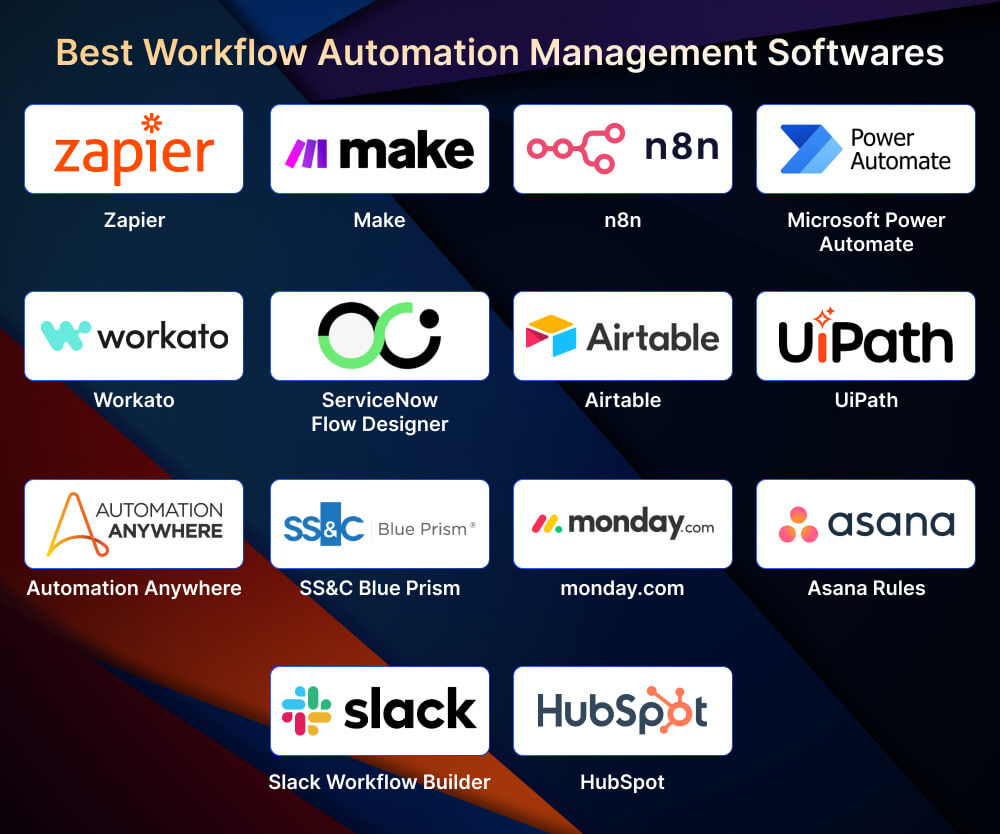
This guide breaks down 14 of the strongest workflow automation and orchestration platforms in 2026, from no-code builders like Zapier and Make, to enterprise-grade systems like ServiceNow, UiPath, and Blue Prism, to embedded automations in tools such as monday.com, Asana, Slack, HubSpot, and Airtable. For each, you’ll see where it shines, what to watch out for, and how it fits into real workflows, so you can shortlist the right options for your tech stack, governance model, and team skills.
Table of Contents:
- Top Workflow Automation Management Softwares
- 1. Zapier — Cross-App Automation + AI Orchestration
- 2. Make — Visual Workflows + Detailed Execution Observability
- 3. n8n Developer-Friendly Automation + Strong Governance Options
- 4. Microsoft Power Automate — Microsoft Ecosystem + Cloud + RPA
- 5. Workato — Enterprise Integration + Automation Program Maturity
- 6. ServiceNow Flow Designer — Enterprise workflows at scale
- 7. Airtable — Database-First Workflows with Optional Code
- 8. UiPath — Agentic Orchestration + Enterprise Process Modeling
- 9. Automation Anywhere —Agentic Process Automation System + Reasoning Engine Framing
- 10. SS&C Blue Prism — Intelligent Automation + Digital Workforce Framing
- 11. monday.com — Work OS Automations With a Simple Mental Model
- 12. Asana Rules — Rules Library + Workflow Acceleration for Teams
- 13. Slack Workflow Builder — Chat-Native Workflows + Branching
- 14. HubSpot — CRM-Native Workflow Automation
- Conclusion
Top Workflow Automation Management Softwares
Choosing a workflow automation platform in 2026 isn’t about “what has the most features,” it’s about which tool fits the reality of your work: the systems you already use, the level of governance you need, and how technical your teams are. The tools below cover a wide range of use cases, from no-code cross-app automations and CRM-native workflows to heavy-duty RPA and ITSM flows. Use this list as a decision lens: shortlist 2–3 tools that align with your stack and risk profile, then run a small pilot workflow (one high-friction process) before committing.
1. Zapier — Cross-App Automation + AI Orchestration

Zapier is a classic “automation-first” platform: you connect apps and build workflows (Zaps) that run automatically. What’s notably different in 2026 is Zapier’s push toward “AI infrastructure” bundling automations with data capture/storage and AI connectivity so workflows can become full systems (not just one-off integrations).
The Zapier pricing page explicitly states that Zaps, Tables, Forms, and Zapier MCP are available in unified plans, and that Tables and Forms are included across Free/Pro/Team tiers.
Core Concepts Zapier is Built Around (Useful for Non-Technical Teams):
- Zap = workflow (trigger + one or more actions).
- Trigger starts automation; Actions do the work.
- Task = counted when an action successfully runs (Zapier explains tasks clearly in its pricing FAQ).
What’s Strong in Zapier (2026):
- Multi-Step Automations plus workflow building UX that’s easy for non-devs.
- Built-in tooling that supports real-world workflow complexity:
- Conditional Logic (paths/filters mentioned as built-in tools that don’t count as tasks in some cases).
- Custom Error Notifications and Zap version control (important for governance).
- AI connectivity through Zapier MCP (“Model Context Protocol”) described as enabling AI apps to securely interact with tools; MCP tool calls consume tasks (2 tasks per call).
Example Workflows (Practical):
- Lead capture → enrich → route to rep → notify Slack → create deal + follow-up tasks (common RevOps pattern).
- Customer support intake → categorize → create ticket → send acknowledgement → update CRM.
- HR onboarding → provision accounts → notify stakeholders → checklist creation in PM tool.
Watch-outs / Limitations:
- Zapier pricing is often “volume-driven” (tasks). If you build multi-step workflows that run frequently, plan costs can rise. Zapier’s page explains that when you hit a plan limit, overage billing can kick in.
2. Make — Visual Workflows + Detailed Execution Observability

Make (formerly Integromat) is a visual-first automation platform: you build “scenarios” (workflows) by wiring steps together and mapping data between modules. In 2026, Make’s positioning strongly emphasizes AI workflow building and even AI agents, and it documents governance and monitoring features at the plan level.
Why Make Stands Out:
- Strong support for complex branching/routers and detailed execution logs (appeals to power users).
- A robust “workflow ops” posture: monitoring, log search, and analytics features are explicitly described in the pricing grid.
Key 2026 Capabilities Called Out on the Pricing Page:
- Make AI Agents (beta): “Build and manage AI Agents in Make…”
- MCP Server: “Connect your AI to your Make scenarios…”
- Make Code App: Run custom JavaScript or Python inside workflows (useful when you hit logic/data transformation limits).
- Execution/operations features:
- Real-time Execution Monitoring
- Full-text Execution Log Search
- Execution Log Storage (days vary by plan)
Security & Governance Notes (Official Security Page):
Make describes GDPR compliance, SOC 2 Type 1 audit, encryption, and SSO options; it also mentions log retention defaults and enterprise options.
Example Workflows (Where Make Shines):
- Multi-step marketing ops: ad lead → enrich → dedupe → assign → CRM update → reporting table update.
- Finance ops: invoice attachment arrives → parse fields → validate → route for approval → push to accounting system.
- Ops “fan-out”: one trigger event fans out into multiple actions with conditional routing.
3. n8n Developer-Friendly Automation + Strong Governance Options

N8n is often chosen when teams want deeper flexibility than purely no-code tools, while still keeping a visual workflow builder. The governance story is clearer than many alternatives, especially around identity and access management.
Enterprise Security and Identity:
- SSO supported via SAML and OIDC
- Feature availability: “Available on Enterprise plans.”
Role-Based Access Control (RBAC):
n8n explains RBAC as the management of access to workflows and credentials based on projects and user roles. It explicitly notes RBAC availability across plans except the Community edition (with differences by plan).
What this Means in Real Operations:
- You can build an “automation factory” model:
- Project A (Sales ops workflows)
- Project B (IT workflows)
- Project C (Finance workflows)
- Each project has role scopes, reducing the “everyone can edit everything” risk.
Where n8n Typically Fits Best:
- Teams that want:
- deeper API work (webhooks, custom nodes, transformations)
- better control of automation infrastructure
- enterprise governance (SSO/RBAC)
Watch-Outs:
- Your success depends more on your operating model than the UI:
- workflow reviews
- testing/staging
- documentation standards
- incident handling for failed runs
4. Microsoft Power Automate — Microsoft Ecosystem + Cloud + RPA

Power Automate is a natural choice for Microsoft-first organizations. The most important advantage is breadth: it covers both cloud and desktop flows (RPA) within the same platform family.
What Microsoft emphasizes in the Power Automate pricing/compare section:
- Cloud flows (DPA)
- Attended desktop flows (RPA)
- Unattended desktop flows (RPA)
- Connector tiers: “Standard, premium, and custom connectors” are referenced in the plan comparison.
Why it Matters:
- Many enterprises have “hybrid reality”:
- Some systems have APIs (good for cloud flows)
- Some legacy apps don’t (requires RPA/desktop flows)
Where it Fits:
- Microsoft 365-heavy orgs
- Teams already using Power Platform governance
- IT automation + approvals + workflows tied to Microsoft identity
Watch-Outs:
- Licensing can be complex; confirm:
- Which connectors are required
- Attended vs unattended needs
- Environmental governance approach
5. Workato — Enterprise Integration + Automation Program Maturity

Workato is frequently positioned as enterprise-grade for integration and automation, especially for organizations running an Automation CoE and seeking procurement-friendly credibility.
Why it Tends to Win in Larger Orgs:
- Strong enterprise iPaaS positioning and analyst-friendly narrative (Gartner MQ emphasis).
Where it Fits Best:
- Mid-to-large enterprises with:
- many systems across departments
- integration debt
- need for governance + consistency
Watch-outs:
- Like all enterprise iPaaS: implementation success comes from:
- Intake process
- Reusable recipe/library approach
- Standards and monitoring
- Ownership + support model
6. ServiceNow Flow Designer — Enterprise workflows at scale

ServiceNow Flow Designer is built for end-to-end digital workflows on the Now Platform. The key differentiator is that it’s not “just automation”; it is typically embedded into an enterprise’s service, operations, and workflow architecture.
What ServiceNow Highlights (From the Flow Designer Page):
- Create end-to-end digital workflows… in a no-code environment.”
- Reusable components and integration spokes (“Integration Hub spokes”).
- Governance-style capabilities:
- Role-based flow management
- Domain-separated flows (multi-tenant / MSP use cases)
- No-code triggers, including inbound email and SLA target triggers
Typical Enterprise Workflows:
- IT onboarding/offboarding
- Incident → problem → change flow automation
- HR service delivery workflows
- Security operations workflows
Watch-outs:
- Requires strong platform discipline:
- environment strategy
- platform governance
- workflow standards
- stakeholder collaboration
7. Airtable — Database-First Workflows with Optional Code

Airtable Automations are ideal when your workflows are anchored in structured records (tables). The automations page explicitly notes you can build “multi-sequence workflows through trigger and action logic” and extend with JavaScript when needed.
What Airtable Emphasizes:
- Simple notification automations OR multi-step sequences (trigger/action logic).
- Integrations with popular tools (e.g., Google Workspace, Slack).
- Extend with JavaScript for “unlimited possibilities.”
Where Airtable Shines:
- Operations workflows like:
- vendor onboarding tracker
- creative request intake
- customer implementation tracker
- compliance checklist database
- When you need “work + data model” together, not just tasks
Watch-Outs:
- The better your base design (tables, linked records, fields), the better your automations. Poor schema = fragile workflows.
8. UiPath — Agentic Orchestration + Enterprise Process Modeling

UiPath’s 2026 narrative is strongly centered on agentic orchestration with UiPath Maestro, positioned as the layer that coordinates AI agents, robots, systems, and people in production-grade processes.
What UiPath Maestro Highlights:
- “Unified orchestration” across systems, AI agents, robots, and people
- “Data-driven optimization” using real execution data
- Industry-standard modeling:
- BPMN 2.0 process modeling
- DMN for business rules/decisions
- Runtime process controls:
- “Suspend, resume, retry, reset, rewind, or skip steps.”
Where UiPath Fits Best:
- Complex, long-running processes (procure-to-pay, claims, payroll)
- When you need both:
- system/API integrations
- UI automation
- human approval stages
Watch-Outs:
- Design discipline matters: treat automations like software products with SLAs and monitoring.
9. Automation Anywhere —Agentic Process Automation System + Reasoning Engine Framing

Automation Anywhere frames its platform as an Agentic Process Automation System, combining AI “brainpower” with automation execution across apps and environments. It goes beyond basic RPA by emphasizing reasoning, orchestration, and governance.
What Their Page Explicitly Describes:
- A system combining “agentic AI agents, machine learning, process orchestration, RPA, APIs, and natural language interfaces” plus governance.
- A “Process Reasoning Engine (PRE)” trained on “400M+ enterprise workflow data, UI interactions, and documents.”
- Auditability:
- decision logs
- real-time monitoring
- escalation paths to humans
Where it Fits Best:
- Enterprises that want AI-forward automation across:
- IT, finance, HR, customer service (the page explicitly lists team examples)
Watch-Outs:
- Treat “agentic” capability as something you validate through pilots:
- exception handling
- auditability
- governance alignment
10. SS&C Blue Prism — Intelligent Automation + Digital Workforce Framing
Blue Prism’s messaging emphasizes intelligent automation (IA) as a combination of RPA + AI + orchestration (often BPM). Its “Intelligent Automation” guide describes IA using “digital workers/agents” and links IA to agentic automation evolution.
Key Concepts from Blue Prism’s IA Guide:
- IA combines cognitive automation technologies to streamline and optimize processes and decision-making.
- IA “upgrades RPA” with AI cognition and BPM orchestration; it describes tasks such as process discovery, data extraction, contextual understanding, and problem-solving.
- Strong emphasis on:
- security/compliance
- auditability
- governance
Where it Fits Best:
- Regulated industries (finance, insurance, healthcare)
- Large-scale digital workforce programs with governance requirements
11. monday.com — Work OS Automations With a Simple Mental Model

monday.com’s automation system is approachable and very teachable, especially for non-technical teams. Their support article formalizes the basic automation language and shows how to build multi-step automations.
Core Building Blocks (From Monday Support):
Where monday.com is Strongest:
- Operational workflows that live inside boards:
- approvals
- handoffs
- reminders
- status-driven routing
Example Automations:
- “When the date arrives AND status is Working on it → notify the owner.”
- “When status changes to Done → move item to board X and notify channel.”
- “When an item is created → assign owner and set default value.s”
Watch-outs:
- To address cross-app complexity, teams often pair monday.com with an integration platform (Zapier/Make), while keeping monday as the “system of work.”
Case Study 1 – monday.com Automations at FARFETCHLuxury fashion platform FARFETCH uses monday.com as its work OS and leans heavily on automations to eliminate manual updates and status chasing. According to monday.com’s customer story, FARFETCH saves around 42,000 hours per year (about 3,500 hours per month) and sees a 6x return on investment, translating into an estimated US$118,000 in savings per month by automating cross-team workflows such as campaign tracking, approvals, and handoffs. |
12. Asana Rules — Rules Library + Workflow Acceleration for Teams

Asana Rules automates routine task flows, especially moving work through stages and notifying the right people. Asana’s rules page emphasizes quick creation plus recommended rule templates.
What Asana Highlights:
- Rules can automate actions, such as moving tasks as their due dates approach.
- Rules library recommendations help teams get started quickly.
- Cross-tool automation references include Slack and Gmail.
Where Asana is Strongest:
- Standardizing recurring workflows for:
- marketing campaigns
- product launches
- operations requests
- approvals and reminders
Watch-outs:
- If your workflow spans many systems, combine Asana Rules with an iPaaS platform.
13. Slack Workflow Builder — Chat-Native Workflows + Branching

Slack Workflow Builder is powerful because it lives where many organizations already “run work”: in channels. Slack positions this as no-code workflow automation with AI assistance.
Key Capabilities Slack Explicitly Claims:
- “Workflow Builder uses AI to create automated processes…”
- Conditional branching with up to 10 conditions
- Workflow connectors to “Salesforce and 70+ apps”
- Embedded workflows: send in messages, embed in canvases, bookmark in channels
Operational Strengths:
- Intake workflows:
- “request access”
- “ask for help”
- “submit IT request”
- Approvals:
- lightweight approvals routed to the right group
- Structured data capture:
- forms embedded in Slack flows
Metrics Slack Provides (Useful in Business Case Decks):
- “28% increase in time saved due to automation” (with attribution notes on the page).
- “80% of those who build Slack workflows are non-technical”.
Case Study 2 – Slack Workflow Builder Time Savings (Slack + Salesforce Customers)Slack reports that in a survey of combined Slack and Salesforce users, customers who automated their processes using Slack workflows (including Workflow Builder) saw a 28% increase in time saved on repetitive tasks. The article walks through examples such as request-approval flows, channel-based intake forms, and automated notifications that replace ad-hoc DMs and manual follow-ups, showing how chat-native automation improves responsiveness without requiring traditional “IT projects.” |
14. HubSpot — CRM-Native Workflow Automation

HubSpot automation is best understood as “workflow automation inside your go-to-market system.” The HubSpot knowledge base page explains multiple automation entry points (forms, emails, pipelines, workflows, sequences) and then details workflows for broader process automation.
Automation Tools HubSpot Highlights (Depending on Subscription):
- Forms / marketing emails automation
- Pipeline stage automation
- Workflows (Marketing/Sales/Service/Data Hub Pro/Ent)
What Workflows can do (Examples From the HubSpot Page):
- Trigger emails (birthday/anniversary)
- Countdown to events/tradeshows
- Assign leads
- Create records
- Add data to Google Sheets
AI Assistance in Workflows:
HubSpot states that you can use “Breeze, HubSpot’s AI” to generate enrollment triggers/actions using prompts.
Watch-outs:
- HubSpot automations are strongest when your data model is clean (properties, lifecycle stages, lead routing rules). If your CRM data is messy, automation will scale mess faster.
Comparison Table of Workflow Automation Management Softwares
| Tool | Cross-app Automation | IT/Service Workflows | Work mgmt Automation | Database-first Automation | RPA/legacy UI |
| Zapier | 5 | 2 | 2 | 2 | 1 |
| Make | 5 | 2 | 2 | 2 | 1 |
| n8n | 4 | 3 | 2 | 3 | 1 |
| Power Automate | 4 | 3 | 3 | 2 | 4 |
| Workato | 5 | 3 | 2 | 2 | 2 |
| ServiceNow | 3 | 5 | 2 | 1 | 2 |
| Airtable | 2 | 1 | 3 | 5 | 1 |
| UiPath | 3 | 3 | 1 | 1 | 5 |
| Automation Anywhere | 3 | 3 | 1 | 1 | 5 |
| Blue Prism | 3 | 3 | 1 | 1 | 5 |
| monday.com | 2 | 1 | 5 | 2 | 1 |
| Asana | 2 | 1 | 5 | 2 | 1 |
| Slack Workflow Builder | 2 | 2 | 3 | 1 | 1 |
| HubSpot | 3 | 1 | 2 | 2 | 1 |
Conclusion
Workflow automation in 2026 is no longer about clever one-off “Zaps” or scripts; it’s about designing a reliable execution layer for your business. The tools in this list cover the full spectrum: cross-app orchestration (Zapier, Make, n8n, Workato, Power Automate), enterprise IT and service workflows (ServiceNow, UiPath, Automation Anywhere, Blue Prism), and embedded automation inside the systems where teams already live (monday.com, Asana, Slack, HubSpot, Airtable). The right choice depends less on flashy features and more on where your work actually happens, how regulated your environment is, and who will own and maintain these workflows over time.
If you treat automation as an ad-hoc side project, you’ll just create fragile bots and hidden dependencies. If you treat it as a managed capability, with standards, owners, monitoring, and a clear intake/roadmap, you get something very different: faster cycle times, fewer manual errors, cleaner data, and teams that spend more time on judgment work rather than repetitive tasks. The next step isn’t “automate everything”; it’s to pick 2–3 high-friction workflows, choose the right tool category from this list, and prove value with a well-governed pilot.
To build the skills behind that kind of disciplined automation, pair these tools with the right capability building. Invensis Learning’s ITIL® 4 Foundation and IT Service Management trainings help you design service workflows, approvals, and change processes that automation can safely support. DevOps courses show you how to integrate automation into deployment and operations pipelines, while Lean Six Sigma Yellow Belt Course and Lean Six Sigma Green Belt program give you the process-improvement mindset to choose the right workflows to automate and measure the impact properly. Combining the right platform with these competencies turns scattered scripts into a scalable, strategic advantage.